AI agents now go looking for work before you ask. Grok Bot has added a Primary Bot feature. As it looks through your work, when it finds something it can handle, it first offers "Want me to take care of this for you?", and it also acts as a manager that hands the right tasks to other Bots. The suggestions themselves don't count toward your usage.
The official Grok Bot account announced the feature with a video at 02:35 KST on October 2.
Source: X @bot
How Primary Bot makes suggestions first
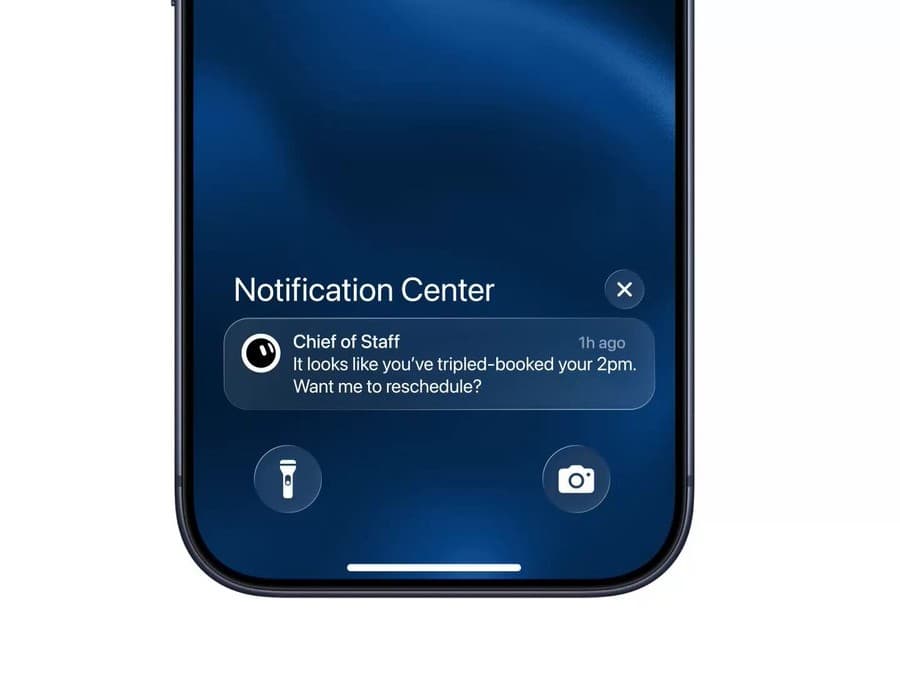
The official video opens on an iPhone lock screen and Notification Center showing an alert from a Chief of Staff bot. It reads, "It looks like you've tripled-booked your 2pm. Want me to reschedule?" The bot spots the overlapping events and offers to fix them before the user asks for any help with their calendar.
Primary Bot looks for work it can take off your plate and offers to handle it. The feature rolls out over several hours after the announcement, and suggestions don't count toward usage.
Source: X @bot
Setting up Primary Bot and delegating to other bots
Once the feature rolls out, a prompt asks you to create a new Primary Bot or choose one of the Bots you already use as Primary. For example, you can designate a Chief of Staff bot as your lead Bot and put several specialist Bots under it.
Source: X @testingcatalog
Melvin Vivas, an AI developer in Singapore, shared an example of using Chief of Staff as Primary to manage his team's other bots. On the left of the screen, the bots are grouped by team: Business, Tech, Finance, Product, and Marketing. When he asked it to "give me a round up from all bots," Chief of Staff gathered the status of every bot and sorted them into bots that were busy today, bots waiting for their next instruction, and bots that were quiet.
When he says, "Have ML check the new models this week," it passes the task to the ML bot and notifies him when the result comes back. It hands work to the X Researcher bot the same way. Vivas explains that he now has much less need to check each bot individually.
Source: X @melvindvivas
Grok Bot plans and downloads
Grok Bot is available on Cursor Pro, Pro+, and Ultra, SuperGrok, SuperGrok Plus, and Heavy, Cursor Teams Standard and Premium, and Enterprise plans. It comes as desktop apps (macOS and Windows) and an iOS app. You can get the apps from Grok Bot downloads and plan info.
A Grok Bot subscription includes weekly usage, and usage beyond that is billed as token costs. On top of that, Primary Bot suggestions don't count toward usage. Primary Bot was announced at 02:35 KST on October 2 and rolls out over the following hours.
From an AI that waits for commands to one that suggests first
- August 12, 02:09: Grok Bot's early beta was introduced as an AI teammate. It logs in to your tools, does real work the way you would, and brings back the finished result.
Source: X @bot
- August 22, 02:25: Access widened to SuperGrok Plus, Cursor Pro+, and Cursor Teams subscribers, and a limited free trial opened to other users.
- August 29, 01:33: A feature for sharing Bot templates with others was announced.
- September 5, 04:19: Marketplace templates were introduced, with a Haggle Bot example that helps with internal procurement.
- October 1, 04:06: A workflow was shown that hands coding work to Cursor and manages PRs through the GitHub and Origin plugins. An engineering team Bot template with skills, routines, and connectors followed.
Source: X @bot
- October 2, 02:35: Primary Bot started finding things to help with and suggesting them without waiting for the user's request.
Until now AI moved only after a person gave a command. The direction is shifting toward AI that looks at the situation, finds the work, and suggests it first.
Related reading
- Grok Bot Beta Launches: An AI Teammate That Works 24 Hours a Day Without People
- 5 Ways to Use Grok Bot, Demonstrated by Peter Yang
- A Marketer's Experiment: Grok Bot Won Back Churned Customers
Sources
- Grok Bot official site: plans and downloads
- X @bot: Primary Bot announcement video, follow-up post
- X @testingcatalog: Primary Bot setup screen
- X @melvindvivas: Chief of Staff Bot example
- X @bot: early beta, Cursor, GitHub, and Origin integrations, wider access, sharing Bot templates, marketplace templates, engineering team template