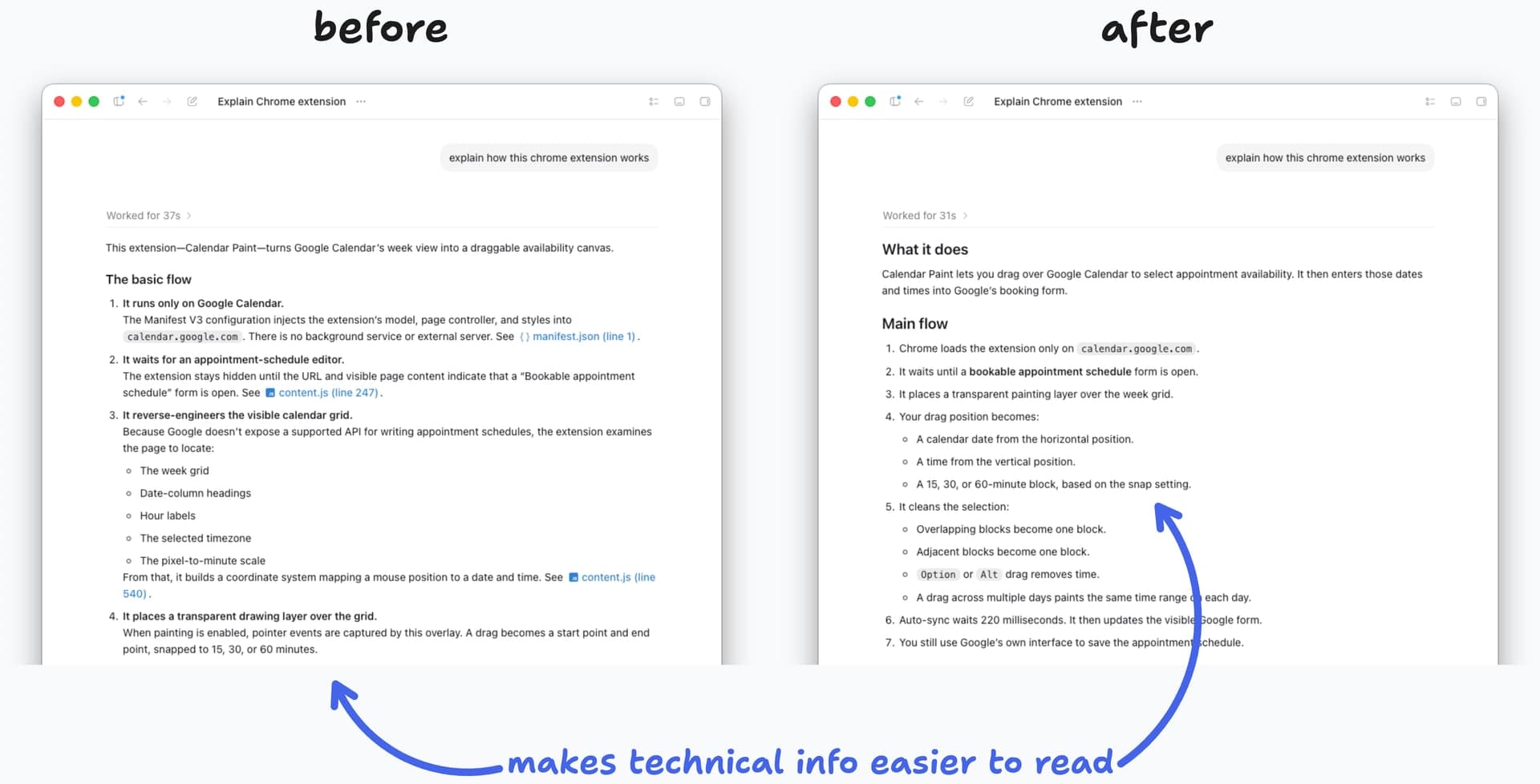
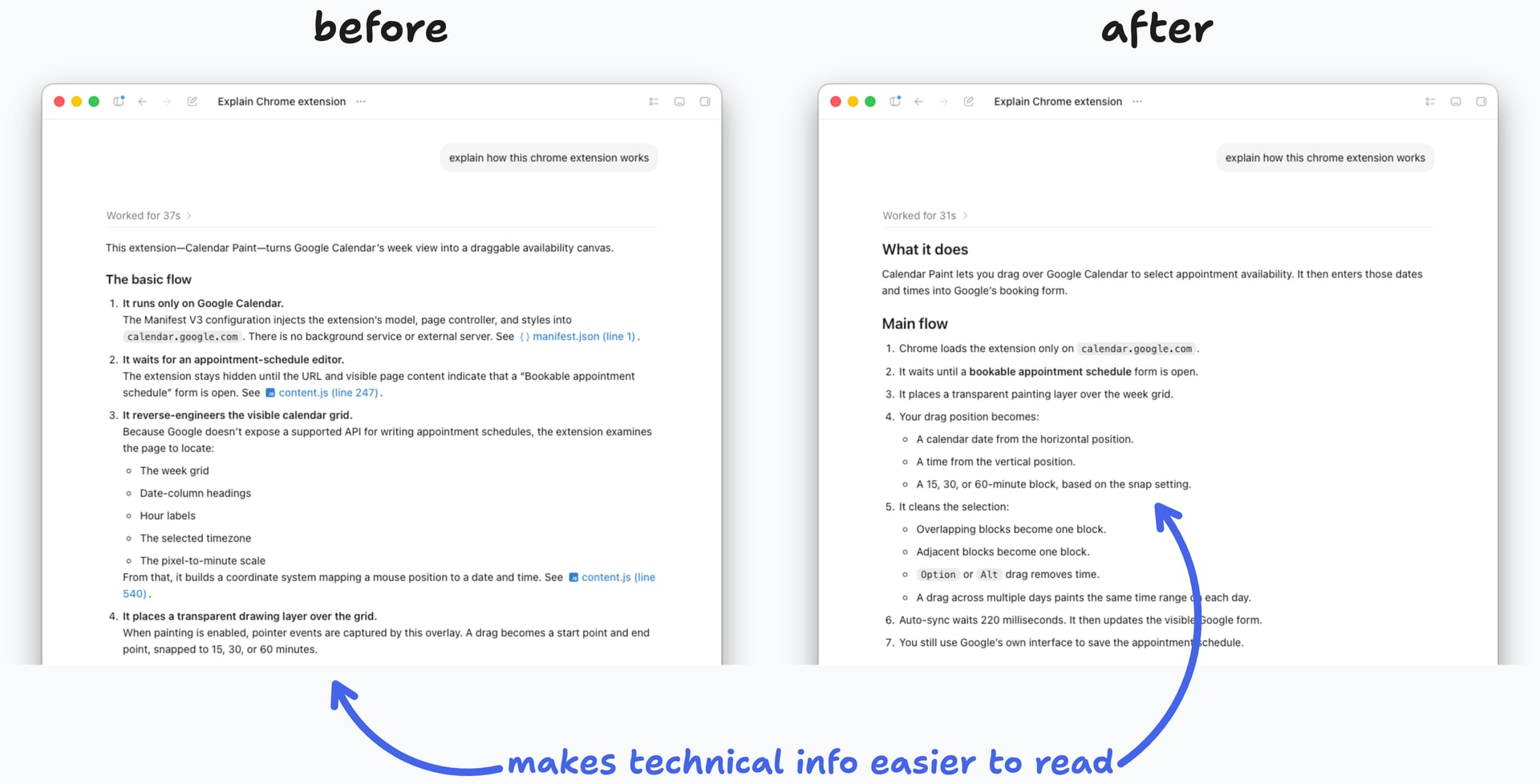
In Ben's Bites on August 11, 2026, Ben Tossell wrote that AI answers were so hard to read he wanted to shout "just talk like a person," and shared two lines of custom instructions. He felt answers got 10 times better when he was having something he built explained to him, and he wrote that the commonly used "I'm a non-developer" backfired by just adding more analogies.
Why "I'm a non-developer" backfires
In Ben's experience, saying "I'm a non-developer" made the AI turn almost every part of an explanation into an analogy. He described the result as worse than AI slop.
The question he used for comparison was to explain how a Chrome extension he built works. The extension, Calendar Paint, is a tool that lets you drag across the Google Calendar week view to paint your available times.
For the same "explain how this chrome extension works" question, the default answer ran on in long paragraphs, even mentioning line numbers in manifest.json and content.js. The answer with the two instructions was split into short numbered steps under the headings "What it does" and "Main flow."
Ben said he felt this difference especially strongly when having something he built explained to him.
The two lines of custom instructions
These are the sentences Ben used.
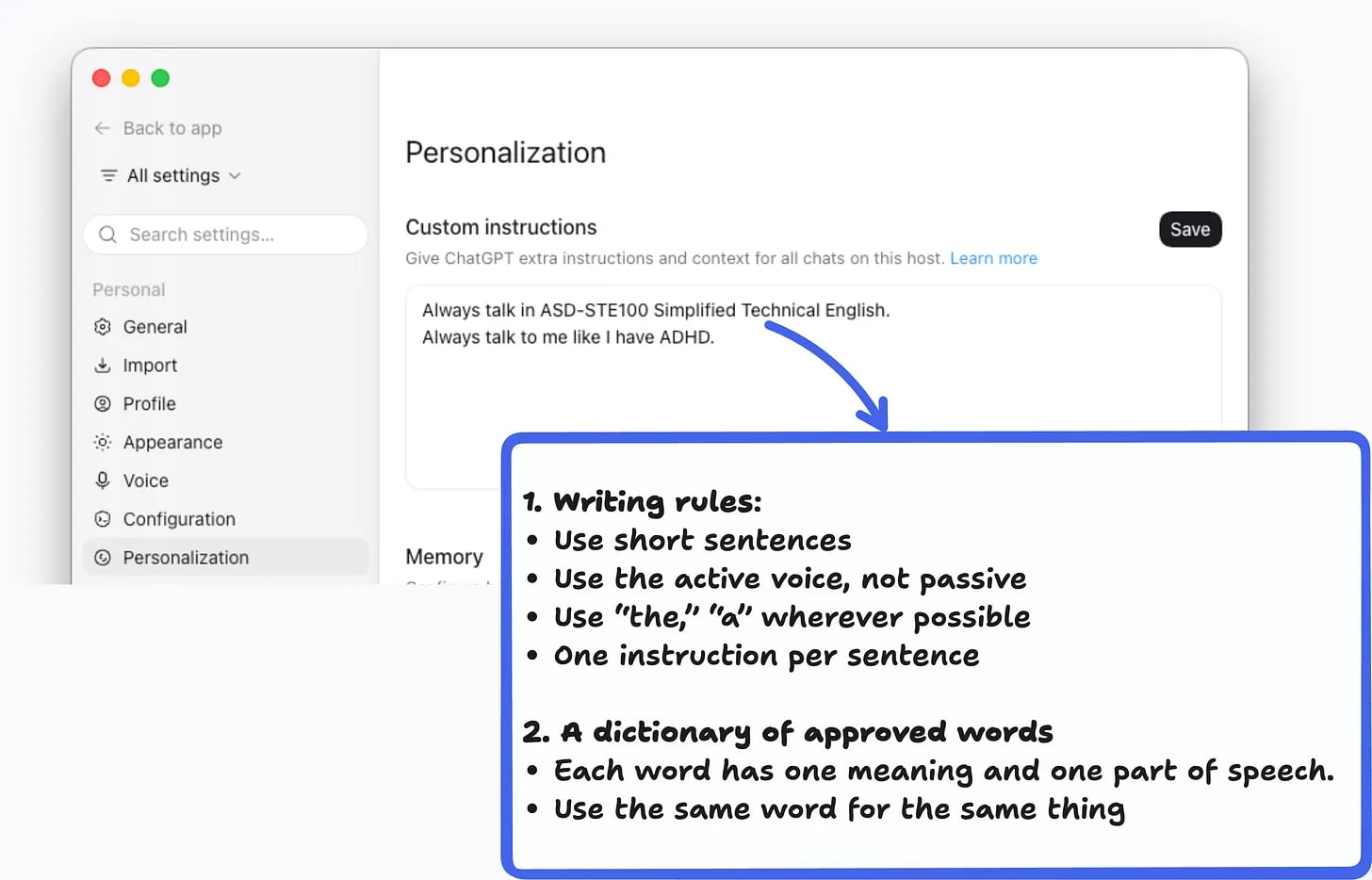
Always talk in ASD-STE100 Simplified Technical English.
Always talk to me like I have ADHD.
The first sentence asks it to follow Simplified Technical English, which writes technical information so it is easy to read, understand, and translate. The second sentence prompted it to break answers into short bullets and headings. Ben said that using both sentences together gave the results that were best for skimming.
If you need answers in another language, you can add a third line like "Answer in Spanish, but follow the same rules." When AI answers feel dull and complicated, one approach before switching models is to name the writing style rules it should follow.
What kind of rules is ASD-STE100
ASD-STE100 is a controlled language standard created so technical documents in aerospace and defense are written clearly. It is maintained by the Simplified Technical English Maintenance Group (STEMG), and the latest edition is Issue 9 from January 2025. You can request it free from the official download page.
The standard consists of writing rules and a dictionary of approved words. There are rules that limit procedure sentences to a maximum of 20 words and descriptive sentences to a maximum of 25 words, and each sentence should carry only one instruction.
It also prefers the active voice to make clear who does what. Approved words are used with their set meanings and parts of speech, and the same word is used consistently when referring to the same thing. The principle of not mixing several meanings into one word is included as well.
Two days before Ben's post, on August 10, 2026, Dan McAteer (@daniel_mac8) on X posted the same tip of telling Claude to write in ASD-STE100. As a bonus, he recommended also having it follow the four principles of good writing that William Zinsser named: simplicity, brevity, clarity, and humanity.
Source: X @daniel_mac8
Where to put it in ChatGPT, Claude, and AGENTS.md
You can put custom instructions in the default settings of the tool you use most, or record them in a per-project instructions file. Ben explained that you can put them in either custom instructions or AGENTS.md, and that in his setup the two locations are synced.
| Tool | Where to set it |
|---|---|
| ChatGPT web and desktop | Settings → Personalization → Custom Instructions. On mobile, Settings → Customize ChatGPT. OpenAI guide |
| Claude | The response preferences field in Settings. Per project, Set project instructions. Personalization guide · Projects guide |
| Codex, Cursor, and others | AGENTS.md at the repo root. AGENTS.md · Cursor rules |
| Claude Code | CLAUDE.md in the project, and ~/.claude/CLAUDE.md for global settings. Memory docs |