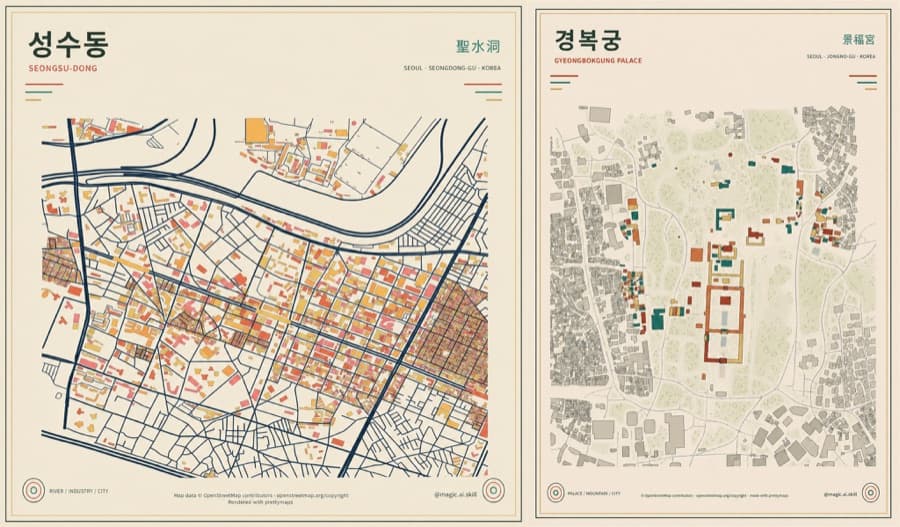
A Seoul neighborhood as a single print
An example that spread on X shows two maps of Seoul's Seongsu-dong and Gyeongbokgung Palace drawn like vintage posters. The official prettymaps repository describes it as a minimal Python library that creates these maps from OpenStreetMap data.
Enter a place name and it doesn't just draw the road network. It pulls in the features recorded in OpenStreetMap, such as buildings, water, and parks, as layers. So the same neighborhood can range from an informational map to an interior-decor poster depending on which elements you keep and which colors you assign.
Your first map starts with one line
The official quick start is to install with pip install prettymaps and then run prettymaps.plot('place name'). The repository also provides a Google Colab install example and instructions for running the local Streamlit frontend.
However, a place string doesn't always guarantee the same result. The buildings, parks, railways, and other features shown can vary with the geocoding result and the density of OpenStreetMap tags. In real production work, it's safer to check a draft at a small radius first and then widen the area.
Splitting layers changes the mood
The official tutorial shows how to set which OpenStreetMap tags to fetch in layers and the color and line of each layer in style. For example, water in pale blue, buildings in a limited palette, and roads colored by width.
You set the map boundary with circle and radius, and you can save repeatable styles as presets. The latest release, which supports ocean terrain, hillshade, and keypoints, is also available, so you can go beyond a simple road poster to emphasize terrain and add place markers.
Keep the attribution before you print
The prettymaps repository is licensed under AGPL-3.0. Commercial use, modification, and distribution are allowed, but you need to check the license and source-disclosure conditions. In particular, the author specifies that you should keep text crediting the prettymaps repository and OpenStreetMap on the output image.
The X example also includes an OpenStreetMap contributors and prettymaps credit at the bottom. It's easy to remove that area when cropping or resizing a poster, so check that the credit is still readable before final output. The last step in making a pretty map isn't color correction but honoring the attribution terms of the data provider and the tool.