Summary in 3 lines
- Unreal Agent is an open-source agent harness built so the model does not sit and poll while a tool runs.
- Tools run in the background, and in the meantime the model can work on other tasks or take extra instructions from the user.
- Unreal Labs reported up to 40% lower cost than Codex and up to 20% lower than Pi on GPT-6 Astra xhigh benchmarks.
To cut agent costs, people usually look for a cheaper model. Unreal Labs says it kept the same model and changed the harness, the runtime scaffold, to get costs up to 40% lower than Codex and up to 20% lower than Pi, another open-source harness. The harness is the runtime that connects the model, tools, conversation history, and user messages.
Unreal Labs put it as "up to 40% cost savings compared to Codex ... without any negative performance impact." Source: X @unreallabsai
Existing agents wait until the tool finishes
When an agent runs a command that takes minutes, like setting up a dev environment, the model may wait or repeatedly ask whether it is done. During that time it is hard to have it explore code or search the web in parallel, and waiting and polling still cost model turns and tokens. Unreal Labs started from the problem of wanting to do other work in parallel while an install runs.
How tool calls are handled asynchronously
- The model requests a tool call.
- The harness immediately records that call as "in progress" in the session event log.
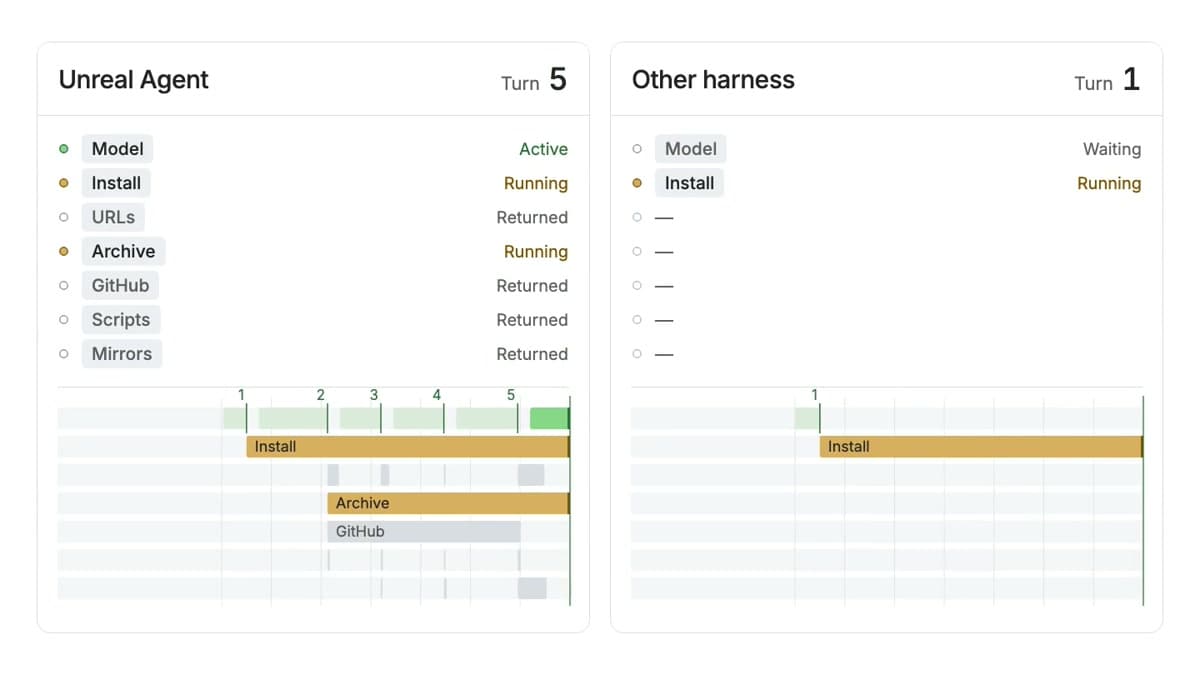
- The tool runs in the background, outside the model call, and other tools can run alongside it.
- When the job finishes, the harness attaches the final result to the log and calls the model again.
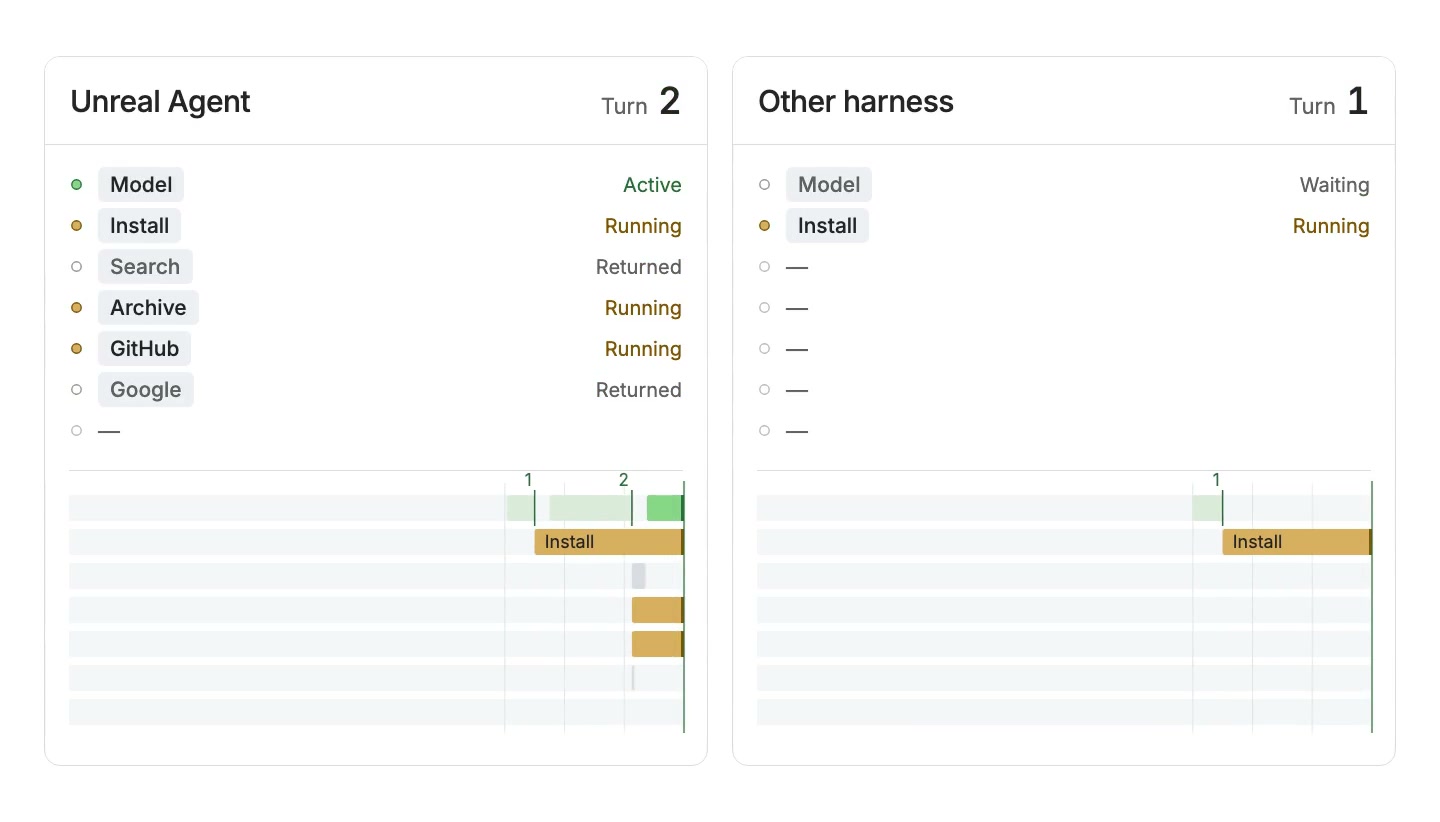
The implementation challenge was keeping both the in-progress result and the final result in one conversation while preserving the model input cache. A footnote in the official post explains that this message format was not clearly specified in the Responses API docs, and some other inference providers rejected it. Where the format was accepted, the model understood the flow of an in-progress status completing later.
Watch the async runtime animation
Users can step in, and the model does more
Even while tools run in the background, the user can send the agent new instructions. Because the runtime handles waiting and status checks, the model can line up more code exploration or other tool work between calls.
Unreal Labs cites two sources of cost savings. The harness uses simple prompts and token-saving tool results, and it keeps its own overhead low by having no subagents or separate workflows. On top of that, async tool execution lets it handle more work between model turns, reducing the turns and input tokens spent on waiting and polling.
Cost differences reported in benchmarks
Unreal Labs evaluated four coding benchmarks with GPT-6 Astra xhigh. The costs below are the total cost in each table, and the original figures are carried over along with pass rates.
| Benchmark | Unreal Agent | Codex | Pi | Input tokens · turns (Unreal / Pi) |
|---|---|---|---|---|
| Terminal-Bench 4.0 | 57.9% · $1,428 | 57.9% · $2,350 | 55.0% · $1,827 | 1.73M / 2.83M · 28 / 44 |
| SWE-Atlas Codebase QnA | 65.8% · $936 | 63.3% · $1,303 | 64.0% · $1,033 | 898k / 1.29M · 16 / 24 |
| DeepSWE 1.1 | 72.4% · $1,367 | 69.0% · $1,633 | 69.6% · $1,584 | 1.60M / 2.21M · 26 / 40 |
| Agents’ Last Exam · ALE-CLI | 30.0% full pass · $217 | 29.0% · $292 | 29.0% · $262 | 0.76M / 1.19M · 18 / 27 |
The official X comparison image shows savings versus Codex of 39% on Terminal-Bench, 28% on SWE-Atlas, 26% on Agents’ Last Exam, and 16% on DeepSWE. The Codex figure for Terminal-Bench is the leaderboard baseline, not a fresh run under the same conditions. Unreal Labs attributes small differences in pass rates to benchmark variance, and it published the run logs on Harbor so others can rerun them.
Source: X @unreallabsai
Run it with the Go runner
Unreal Agent comes in three forms: a Go library, a runner executable you run in one line like claude -p or codex exec, and a Harbor-compatible benchmark runner. The runner requires Go 1.27 or later and uses OpenAI as the default provider.
go install github.com/unreallabsai/unreal-agent/cmd/unreal-agent-runner@latest
export OPENAI_API_KEY="..."
unreal-agent-runner -p 'Inspect this project and explain how to run its tests.'
You can set the working directory and save the run log to a JSONL file.
unreal-agent-runner -workspace ./my-project -p 'Summarize this project.' > run.jsonlChoose openai, openai-codex, openrouter, fireworks, or ollama with UNREAL_HARNESS_LLM_PROVIDER, and set the model with UNREAL_HARNESS_LLM_MODEL. The Harbor benchmark runner needs Python 3.12 or later, uv, and Docker or Modal. The repo's Harbor guide builds and runs it like this:
make -C benchmarks/harbor sync
make -C benchmarks/harbor build REVISION=HEAD
export OPENAI_API_KEY=...
uv run --project benchmarks/harbor --locked harbor run \
  -p /absolute/path/to/task \
  -a harness_harbor.agent:UnrealAgent \
  -m openai/gpt-5.4 \
  --ak bundle="$PWD/bin/harbor/<short-commit>" \
  --ak thinking_level=high
Why build it instead of using an existing agent SDK
Unreal Labs explains that CLI-centered SDKs assume local sessions and child processes, so in a product environment it had to handle the lifecycle of task completion, cancellation, and background execution separately. It also cited the burden of keeping message formats and tool compatibility intact when you switch providers or the SDK updates. On security and approvals, the design relies on execution-environment limits such as allowed hosts, fine-grained tokens, and an approval proxy rather than harness hooks.
Agent cost also depends on the runtime structure
The perspective Unreal Agent offers is that a model price list alone makes agent cost hard to judge. Even with the same model, cutting waiting and polling and placing tool work well can reduce token spend. Unreal Labs treats harness design as its own research area and points to HarnessTax: How Much Does Harness Matter for Coding Agents? as a related reference.