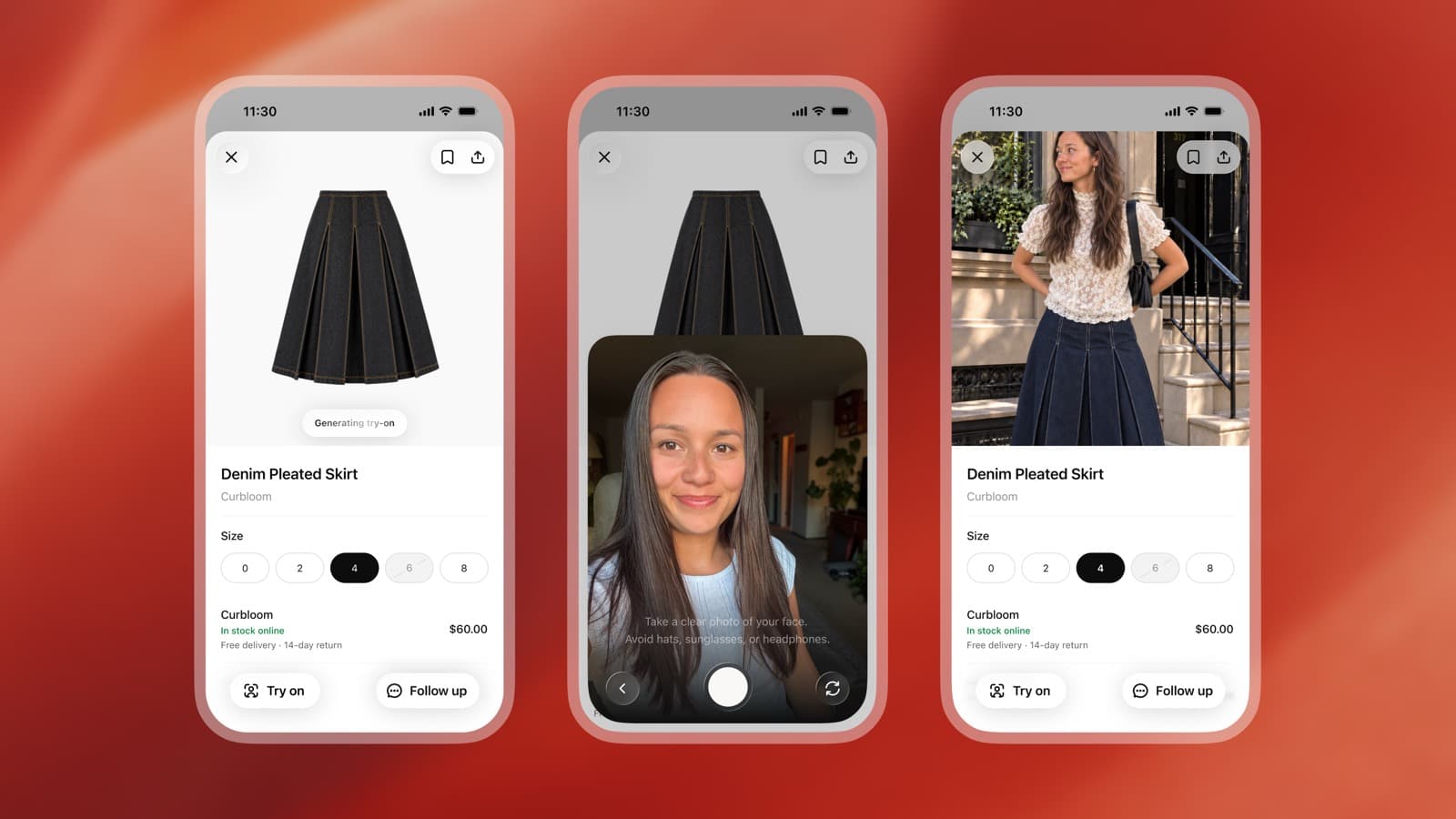
OpenAI has launched a virtual try-on feature in ChatGPT. Upload a selfie or full-body photo and it shows you wearing the clothes and accessories from your shopping results. Favorites, which collects the products you like, launched alongside it.
It launched worldwide on October 1 in the US, which was October 2 in Korea. You can use it while browsing shopping products in the ChatGPT mobile app and on the web. It is also covered in TechCrunch's report.
Tap Try on on a product screen
When you open a clothing or accessory product in ChatGPT shopping results, a Try on button appears. Tap it, take a selfie or upload a photo, and an image of you wearing that product is generated.
The capture screen shows the prompt "Take a clear photo of your face. Avoid hats, sunglasses, or headphones." In other words, take the photo so your face is clearly visible, and take off hats, sunglasses, and headphones.
You can also try on clothes that aren't in shopping results. Save a product image from a web page or take a screenshot, upload it to the chat, and ask ChatGPT to put it on you.
The reference photo you upload is saved so you can reuse it for your next try-on. To change or delete it, go to Settings → Personalization → Reference photos.
Try-on images made with ChatGPT Images 2.5
Virtual try-on uses ChatGPT Images 2.5, released on September 9 (KST). OpenAI says the new model produces "more natural lighting and richer textures." It follows editing instructions more faithfully even across many turns of conversation, and image generation time is up to 50% shorter than with Images 2.0.
It also does a better job of preserving the features of the person in the reference photo. That improvement carries over to virtual try-on, where you swap clothes on the person in your photo.
Source: X @OpenAI
Images 2.5 is available to all ChatGPT users, and the API gets GPT-Image-2.5 Flare and GPT-Image-2.5 Sunburst. For how to refine ChatGPT image generation prompts, see ChatGPT image generation prompt tips.
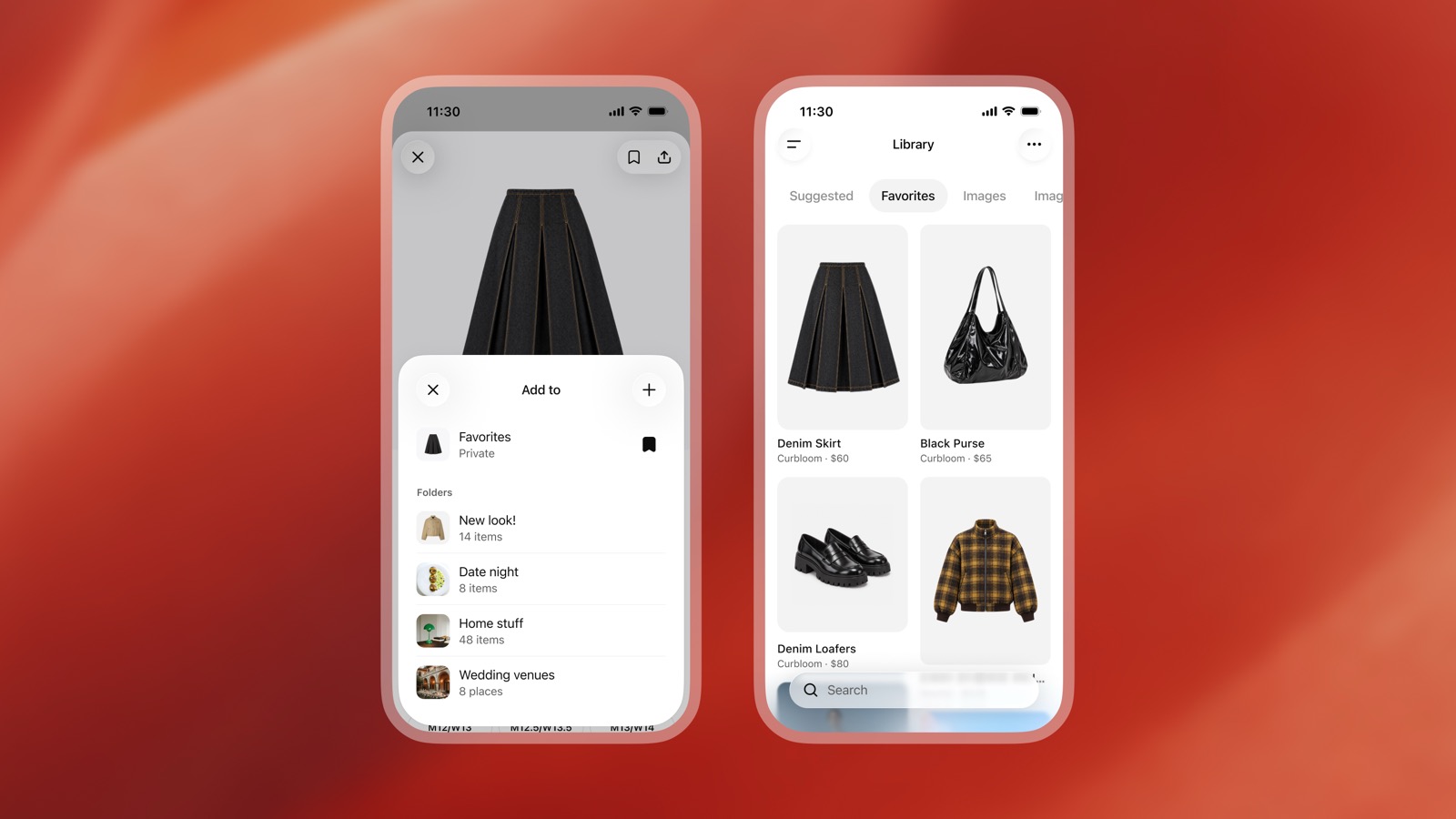
Favorites and try-on images live in the Library
Save products you like to Favorites and you can find them again in ChatGPT's Library. The images you tried on are stored alongside the products. You can also create folders in the Library to organize by purpose, like a new look or a date-night look.
Without searching for each product again, you can gather the clothes and accessories you like in one place and compare them.
Find products from a style description or an outfit photo
You can describe the style you want and ask ChatGPT to find items to complete the look. You can also upload a photo of a celebrity's outfit and ask it to find purchasable products among what that person is wearing.
This is an area where Pinterest and Google have long been strong, and it looks like ChatGPT is moving into fashion search and product discovery.
From checkout to choosing clothes
TechCrunch reported that OpenAI has changed direction from its instant checkout feature, which had not performed well. Instant Checkout was announced on September 30, 2025 (KST), starting with US Etsy sellers' products and expanding to Shopify merchants. This time the focus is on helping with the step of choosing clothes rather than paying for them. Compared with the transaction-fee model for AI agent shopping, ChatGPT looks to be putting its weight on the product discovery process.
It will be worth watching how ChatGPT's shopping business develops from here.