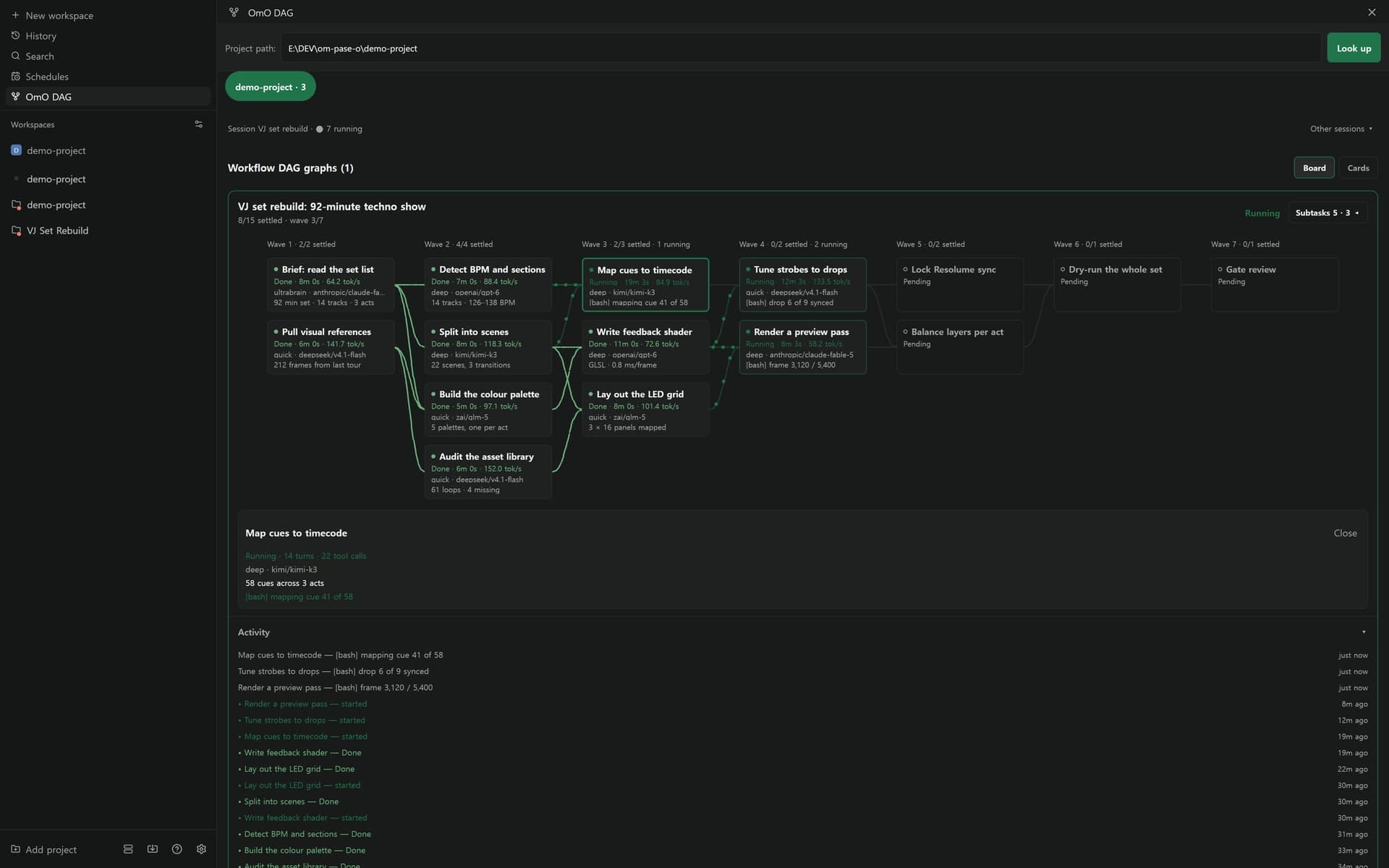
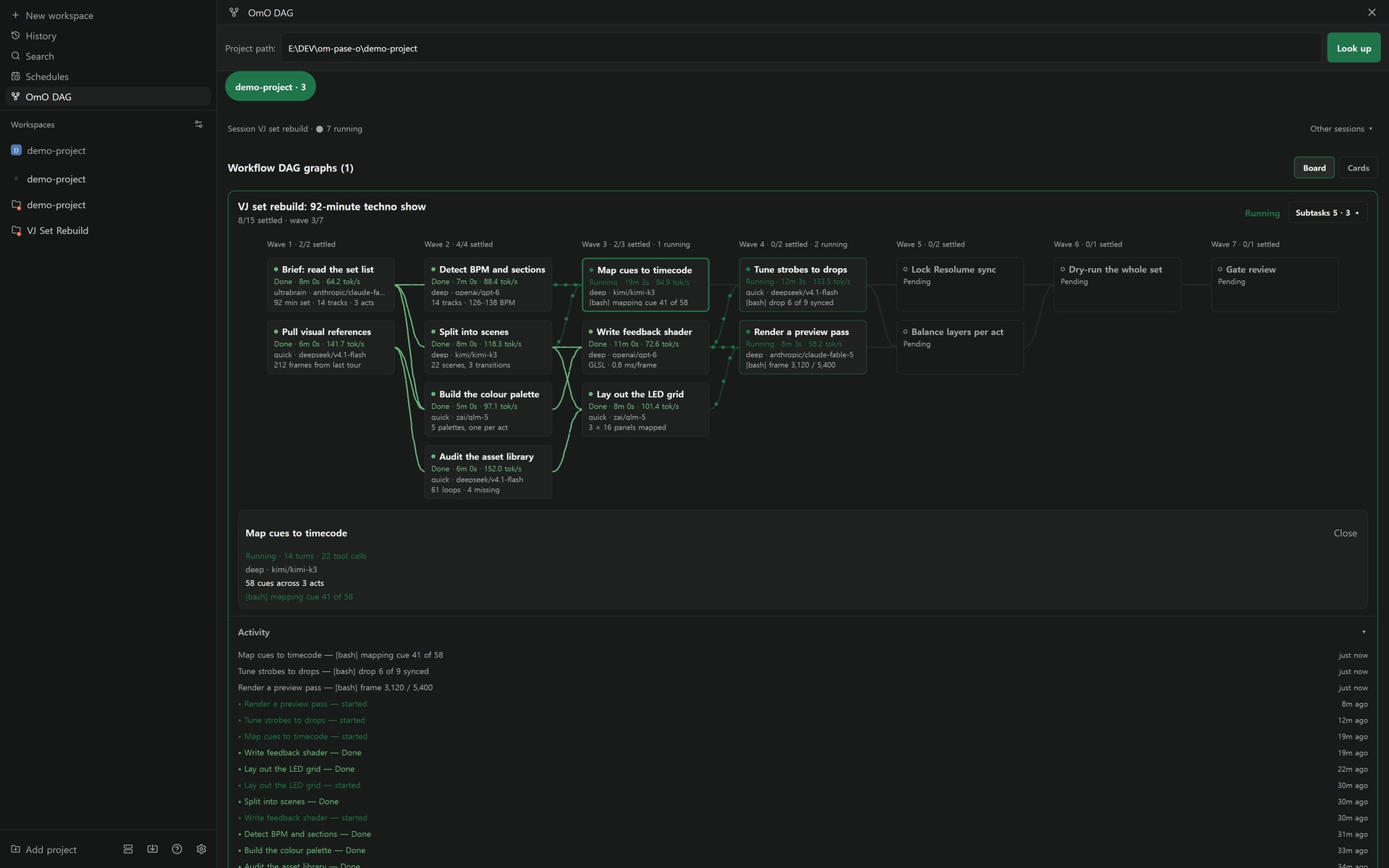
On September 29, 2026, VJ and 3D motion designer HakubiSual released pase-omo, a plugin that runs the coding agent OmO 5 directly in Paseo. You watch the work flow live on a board organized by wave, answer the agent's questions with chat cards, and see todos rolled up into one card per turn. You can also view the same board on your phone. The install command is one line: paseo plugin add Hakubisual/pase-omo.
OmO 5, Paseo, and pase-omo
OmO is oh-my-openagent, a multi-agent coding harness built by YeonGyu (code-yeongyu). It was formerly named oh-my-opencode, and OmO 5 adds OmO Native, a standalone omo-ai path. While agents investigate code, plan, execute, and verify, it relays questions and approvals to the user as needed.
OmO's official update account, Sisyphus Labs, announced the release of the Pi-based OmO v5 on September 27, 2026 at 4:02 AM. It says tool calls are 10 times faster with codemode, a memory system in the aha style that runs two agent loops at once was added, ultracode improved so astra and opus can be mixed in one workflow, and visualization got better.
Source: X @justsisyphus
Paseo is an open-source app that runs coding agents such as Claude Code, Codex, and OpenCode on your own computer and lets you pick them up on desktop and phone. It supports plugins from 0.8.0. pase-omo connects OmO to Paseo's model picker so you can choose models OmO has registered, and it shows child sessions started with task() as Paseo sessions too.
See the workflow as a board by wave
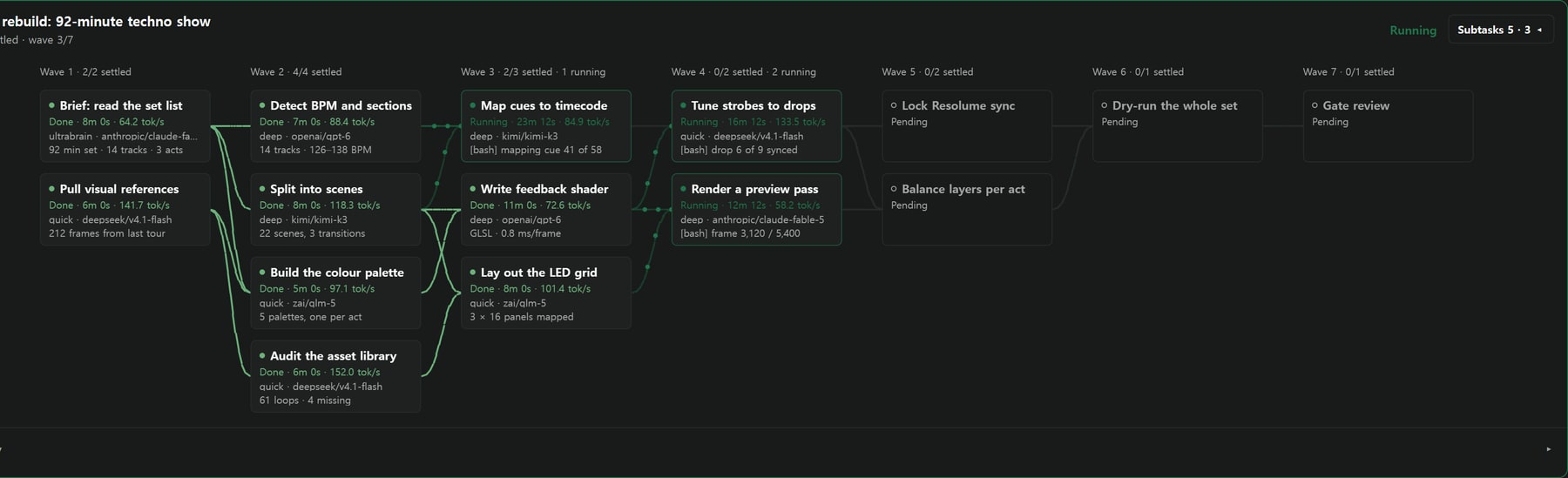
The board lays the OmO workflow out as one column per wave and shows each task node as a card. Following the running session, each card shows status, elapsed time, tokens per second, category and model, and live progress. The wave header summarizes completion and running status, like Wave 4 · 0/2 settled · 2 running.
The connecting lines between nodes show status with color and motion. Running paths have dots flowing along them, finished paths are solid green, and waiting paths are gray. If no node is running, the flow animation stops too.
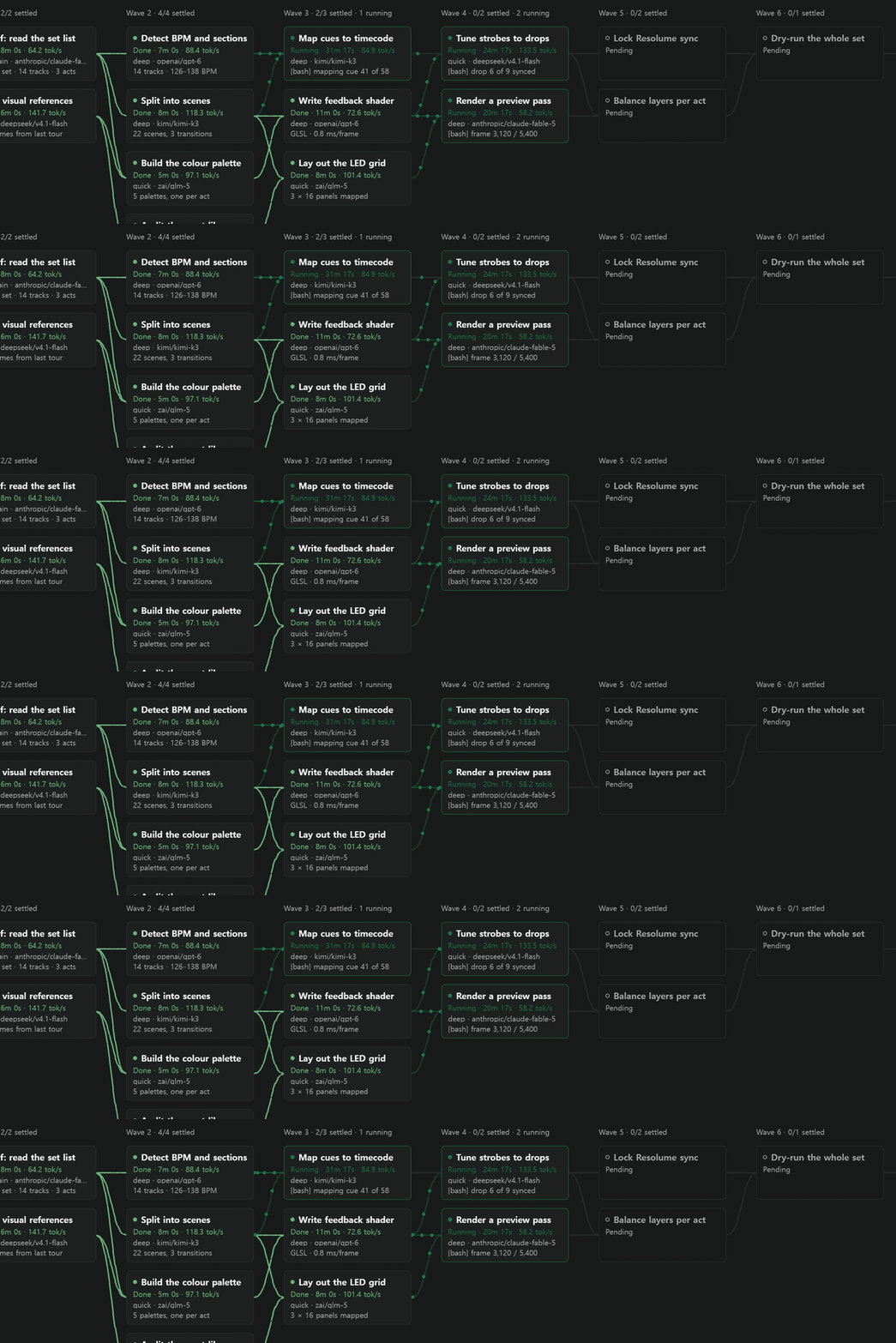
Open a node to see an inspector with turns, tool calls, the model used, the instructions passed in, and the work in progress. The Subtasks drawer opens beside the board so it does not push the graph, with running tasks on top. Click an activity log entry to jump to that node. The earlier card list is still available in the Cards view.
Questions as chat cards, todos as one card per turn
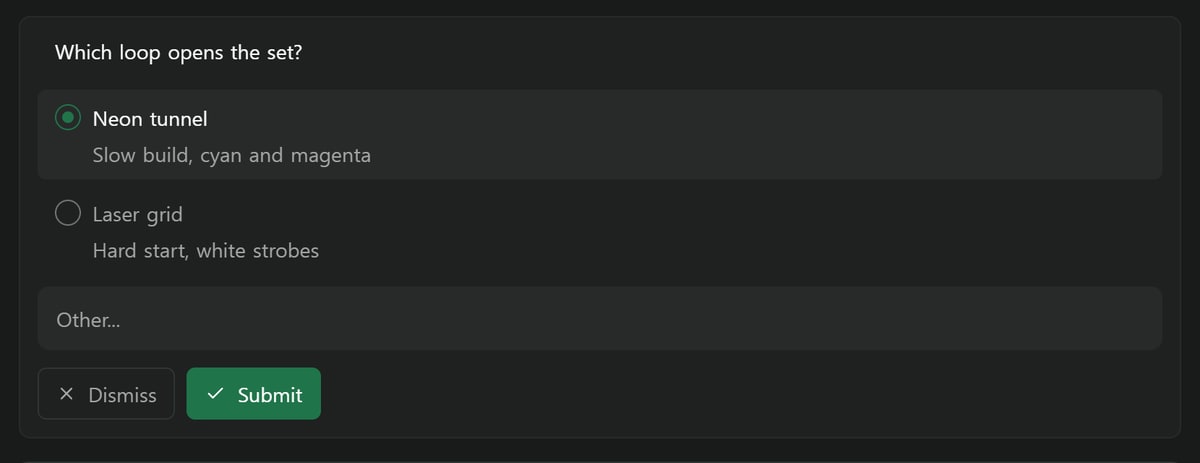
When OmO asks a question, a question card appears in the chat. You can pick an answer from the options or type your own, and you can answer several questions at once. You respond within the chat flow, without a separate approval button.
Instead of piling up checklist items, the todo tool rolls the latest state into one card at the end of a turn. While the agent works, a task chip in the input box shows progress.
The same board on your phone
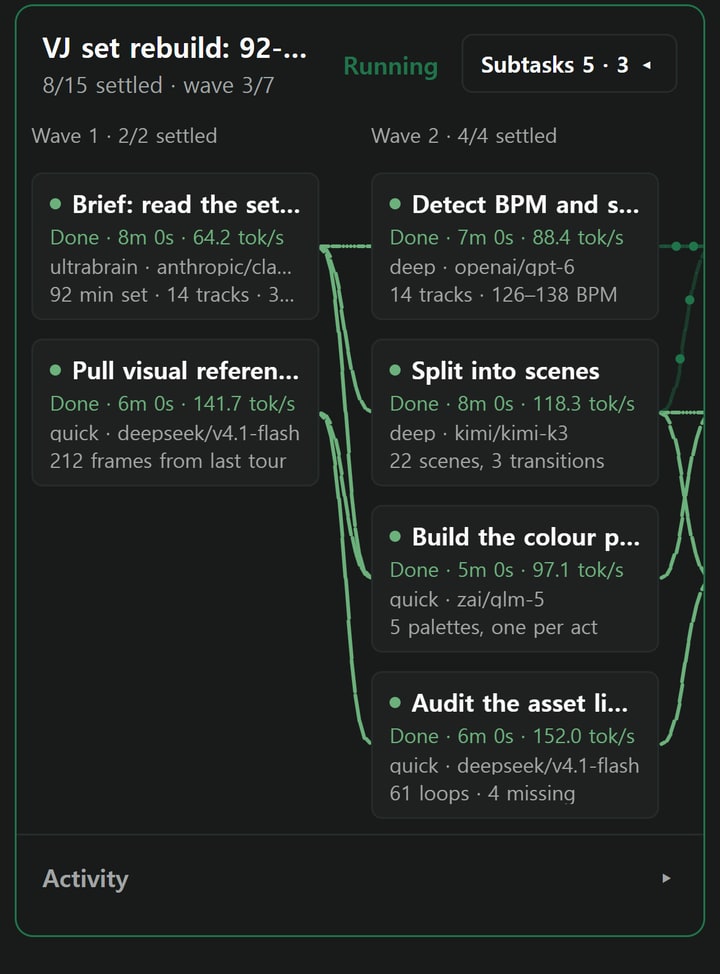
On mobile it keeps the same information as the desktop board. Instead of shrinking text to fit the screen, the board scrolls sideways, and the Subtasks drawer sits below the graph.
Installing pase-omo and the Korean UI
You need Paseo 0.8.0 or later and OmO 5. You can install OmO Native globally with Bun.
bun add -g omo-ai
paseo plugin add Hakubisual/pase-omo
To use the Korean UI, specify the Korean branch. To pin a branch, tag, or commit, use --ref (for example, --ref main).
paseo plugin add Hakubisual/pase-omo --ref ko
# or
paseo plugin add Hakubisual/pase-omo --ref main
The plugin management commands are, in order, list installed, status, update, and logs. The runtime identifier is omo, and if it collides with another plugin, you can change it with --id.
paseo plugin ls
paseo plugin status
paseo plugin update omo
paseo plugin logs omo
After updating, fully quit Paseo from the tray menu and launch it again. Paseo plugins are not isolated in a sandbox, and server code runs with the daemon user's permissions. The README says to first consider whether you can trust every plugin you add.
Other features
| Feature | What it does |
|---|---|
| OmO provider | OmO shows up in Paseo's model picker, and streaming, tool calls, and child sessions appear in Paseo chat. |
| OmO DAG | Opens the board and card views from the sidebar, Command Center, and workspace tab bar. |
| Chat DAG card | When a run finishes, it draws one card per run in the timeline. |
| OmO Approvals | Collects the confirmations, choices, and questions the agent is waiting on right now. |
| OmO Folders | Groups sessions, runs, and tasks into a folder tree so you can skim them. |
| OmO update | Stops all OmO sessions, updates OmO, and resumes from where they stopped. |
| Harness wrap | Folds OmO harness XML, memo notes, and error envelopes into short bars. |
In the README, HakubiSual thanks YeonGyu for changing how OmO works and how much you can build alone in a day. He built this plugin because he wanted to see how OmO actually operates, and OmO is recorded as a co-author in the repo commits. pase-omo is licensed under MIT.
Related posts
- Coding agent
- jevgrep: An open-source code search CLI for AI agents
- Whiteboard: An open-source canvas for AI agent code review