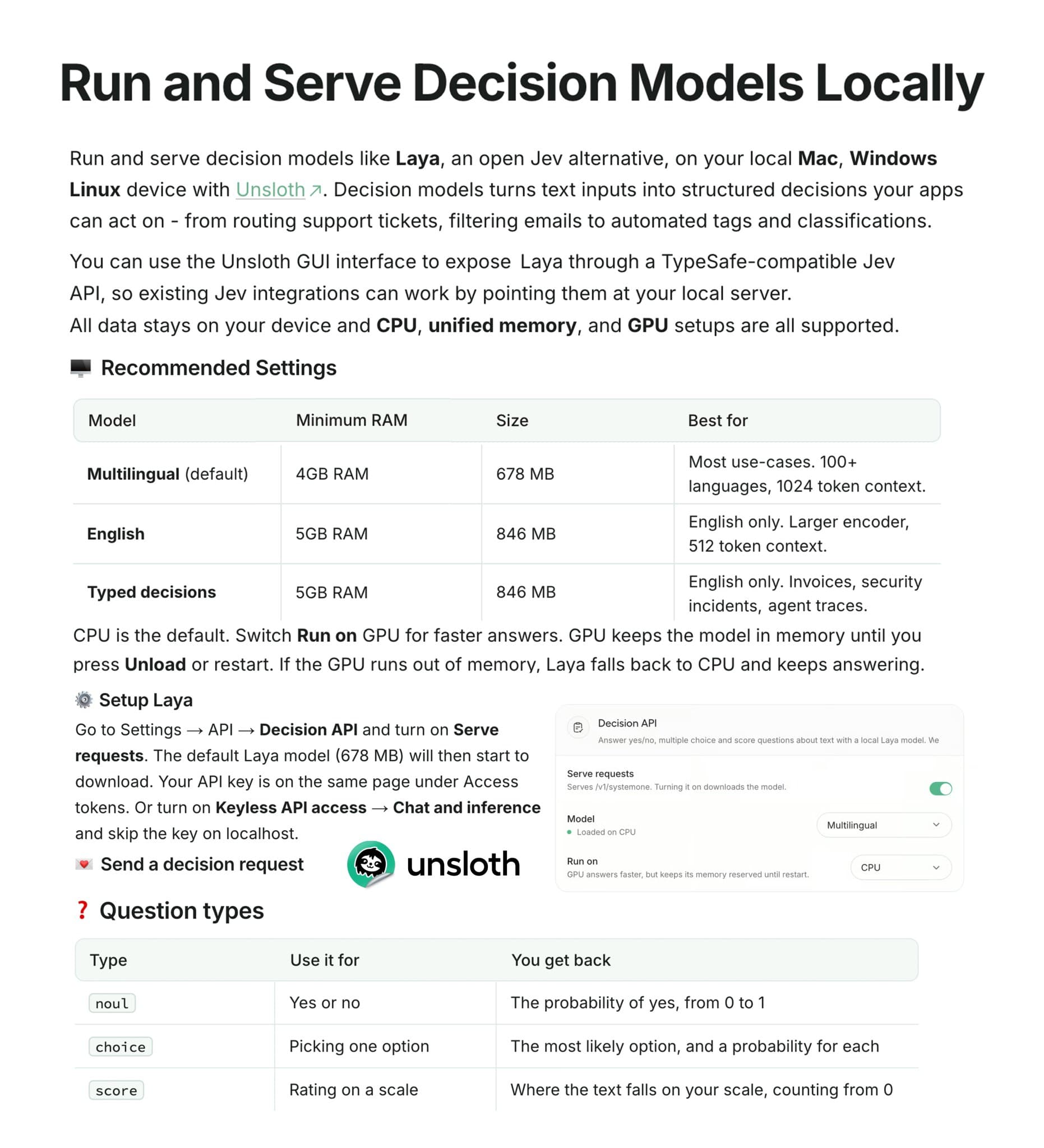
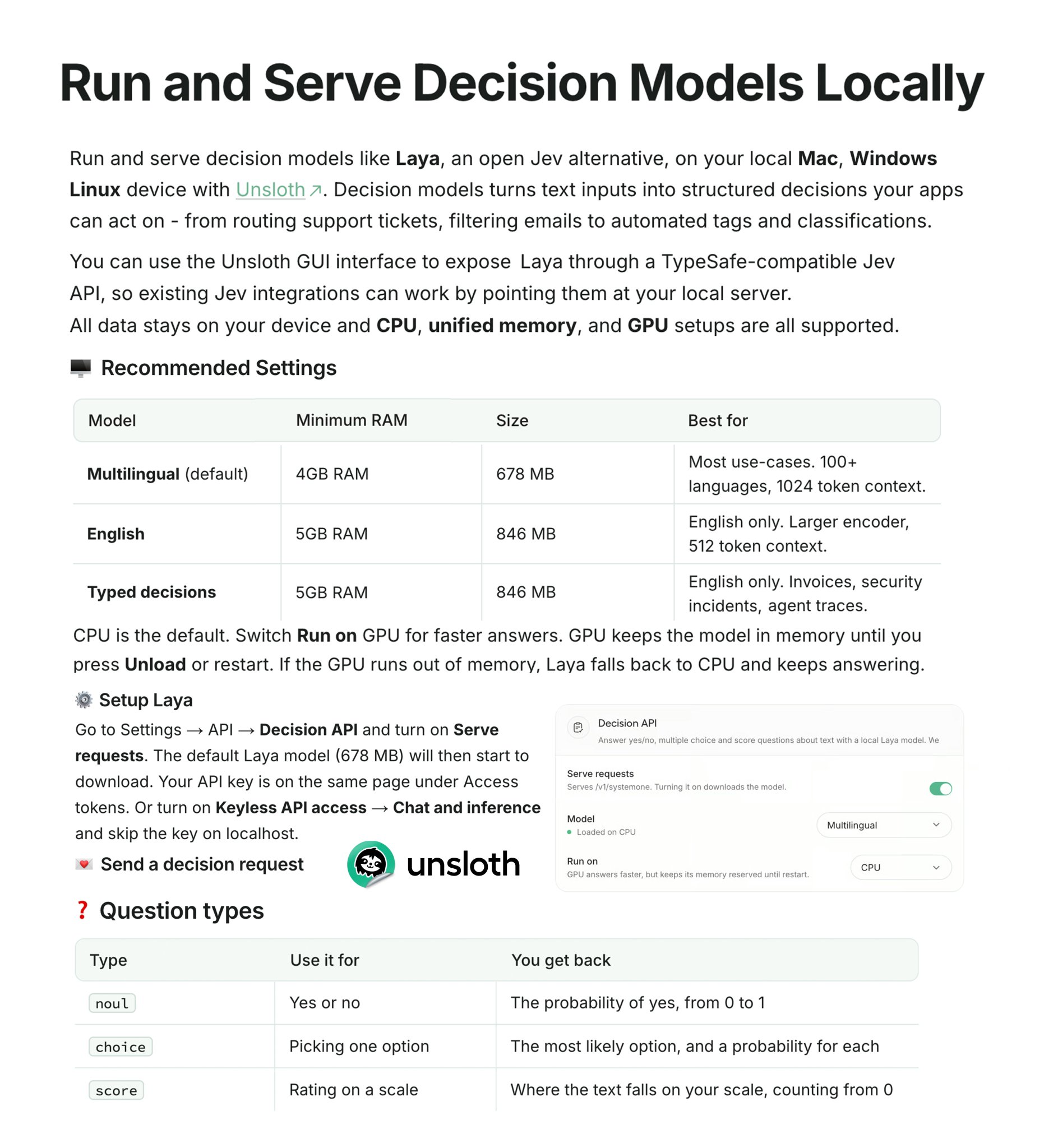
On September 29, 2026 at 12:22 AM (KST), Unsloth announced that the Laya Decision model can run locally even on a PC with 4GB of RAM. It supports CPU, Mac, Windows, Linux, and GPU, and you can serve it from Unsloth Desktop through a Jev-compatible API. Inference data stays on your device. It opens up the option of running even the decision model that picks an AI agent's next action on your own PC.
What the Laya Decision model does
Unlike an ordinary generative model that continues writing text, a decision model takes text or a JSON state and returns an answer your app can use right away, as a classification, choice, or score. You can use it for sending support tickets to the right team, filtering email, and auto-tagging. It also gives probabilities with its answers, so your program can set thresholds and wire up the next action.
| Question type | Example judgment | Returns |
|---|---|---|
noul | Yes/no | Probability of "yes" (0 to 1) |
choice | Pick from several items | The most likely item and the probability of each option |
score | Rate on a scale you define | A score starting at 0 and a probability distribution |
Laya is a model released by Convai Innovations under the Apache-2.0 license. The default multilingual checkpoint supports more than 100 languages. You can see the Laya model card and the weights on Hugging Face. Unsloth introduces Laya as a public alternative to Jev and supports attaching your existing connection to a local server using TypeSafe's Jev API format. You can read more about how agents pick tools and carry out work on the coding agent glossary page.
Requirements: from 4GB of RAM
The 4GB RAM figure applies to the default multilingual model. The English-only and Typed Decisions checkpoints need at least 5GB.
| Model | Minimum RAM | Download size | Features |
|---|---|---|---|
| Multilingual (default) | 4GB | 678MB | 100+ languages, 1,024-token context |
| English | 5GB | 846MB | English only, 512-token context |
| Typed decisions | 5GB | 846MB | English; invoices, security incidents, customer service, agent logs |
The default is to run on CPU. If you need faster responses, you can change Run on in settings to GPU. A GPU model stays in memory until you click Unload or restart Unsloth. If GPU memory runs short, it switches to CPU and keeps answering. The checkpoints are in the safetensors format published on Hugging Face, not a single GGUF file.
How to run Laya locally with Unsloth Desktop
Download Unsloth Desktop. It supports macOS, Windows, and Linux. If you prefer a terminal install, run the following on macOS, Linux, or WSL.
curl -fsSL https://unsloth.ai/install.sh | shIn Windows PowerShell, use the following command.
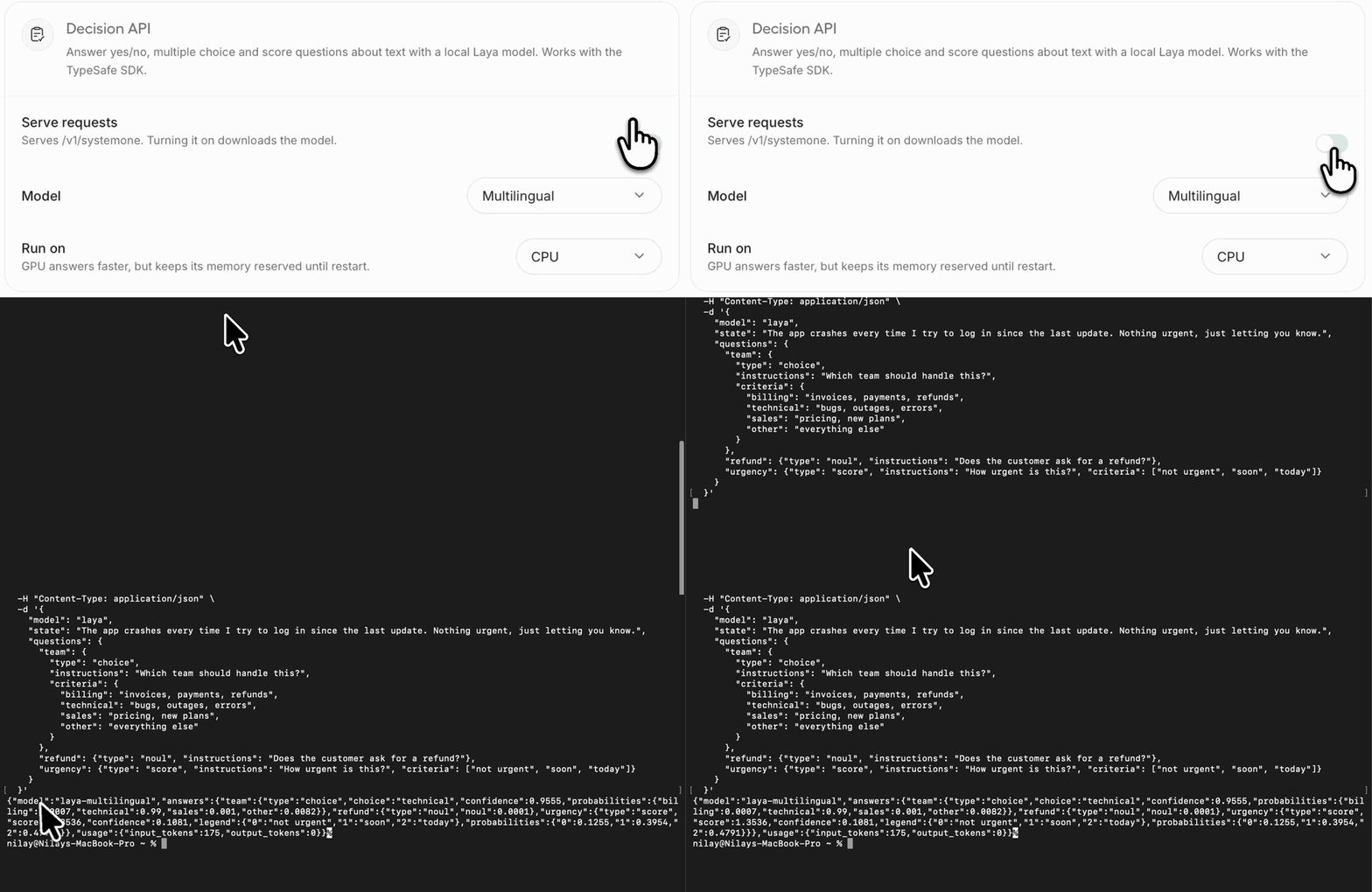
irm https://unsloth.ai/install.ps1 | iexIn the app, turn on Settings → API → Decision API → Serve requests. When a window asks whether to download the default Laya model (678MB), approve it. You can find your API key under Access tokens on the same screen. To use it on localhost without a key, turn on Keyless API access → Chat and inference.
Send a request to
http://localhost:8888/v1/systemone. The example below sorts an inquiry to a team and also judges whether it is a refund request and how urgent it is.curl http://localhost:8888/v1/systemone \ -H "Authorization: Bearer sk-unsloth-YOUR_KEY" \ -H "Content-Type: application/json" \ -d '{ "model": "laya", "state": "Hi, I was charged twice for my March invoice (#4411). Please refund the duplicate today.", "questions": { "team": { "type": "choice", "instructions": "Which team should handle this?", "criteria": { "billing": "invoices, payments, refunds", "technical": "bugs, outages, errors", "sales": "pricing, new plans", "other": "everything else" } }, "refund": {"type": "noul", "instructions": "Does the customer ask for a refund?"}, "urgency": {"type": "score", "instructions": "How urgent is this?", "criteria": ["not urgent", "soon", "today"]} } }'In the official example response, it picks billing for the team and returns a refund-request probability of 0.9794. Urgency is calculated on the 0-to-2 scale you defined. The first request takes 10 to 20 seconds to load the model, and after that it responds in under a second on most CPUs. For the model name, you can use
laya,default, orjev-latest, orlaya-multilingual,laya-english, orlaya-typed-decisions. A single request can hold up to 64 questions, 255 options, and a 10-step score scale.
Move your existing Jev integration to local Laya
Install the TypeSafe SDK and set the local server address and the key you were issued as environment variables.
pip install typesafe-sdk
export TYPESAFE_BASE_URL=http://localhost:8888
export TYPESAFE_API_KEY=sk-unsloth-YOUR_KEY
The default model name, jev-latest, maps to the model you chose in Unsloth Desktop settings. However, Laya and Jev compute confidence differently, so do not carry over confidence thresholds you tuned on Jev as they are, and judge by probabilities instead. If the options with descriptions go over about 20, labels may get cut off because of a fixed token budget. This feature is included in Unsloth Desktop v0.1.900-beta, released on September 28, 2026 at 11:33 PM (KST).
Related posts
- DeepSeek local inference gets 2x faster: Unsloth's free update
- Unsloth Desktop is out: your computer is now an AI training server