These days, a copy can show up in a day. As soon as OpenAI released Dots, an always-on AI assistant, CopilotKit put out OpenDots, an open-source version. You can install it on your own server and change it however you like.
OpenAI Dots, open-sourced in a day
The Dots OpenAI released is an AI assistant you leave on all the time. CopilotKit, the creator of the AG-UI protocol, created the MIT-licensed OpenDots template repository at 02:13 KST in the early hours of September 30, 2026, the day OpenAI announced Dots at DevDay. The official account and CEO Atai Barkai made it public in the early hours of October 2, and it has 826 GitHub stars as of 19:35 on October 2. You can check the code in the OpenDots repository.
The tagline is "Self-hostable, always-on AI coworkers that works with ANY agent harness." That means always-on AI coworkers you install on your own server, which can connect to any agent harness.
Source: X @ataiiam
From browser and files to Slack and voice
| Feature | What you can do |
|---|---|
| Dot computer | Each Dot has its own browser, terminal, and files. Browser profiles and files persist, and a person can take over the browser mid-task. Permissions are set per Dot. |
| Slack | Call a Dot in Slack and talk in threads. The CopilotKit Channels SDK that OpenDots uses also supports Microsoft Teams, Discord, and Telegram. |
| Spaces and Pages | Collect pages and materials in a space for each project and use them alongside Dot conversations. |
| Voice calls | Talk by voice while work continues in the background. You can watch captions, mute, or minimize the call. |
| Web and mobile | Open the web app in desktop and mobile browsers. |
There are also Specialist Dots with defined roles and allowed tools, and approval cards that let you choose Approve & save or Decline before a document is saved. Scheduled tasks, user-managed memory, and Automatic Learning, which creates skill suggestions from conversations, are included too.
Collect materials in Spaces and run them on a Dot computer
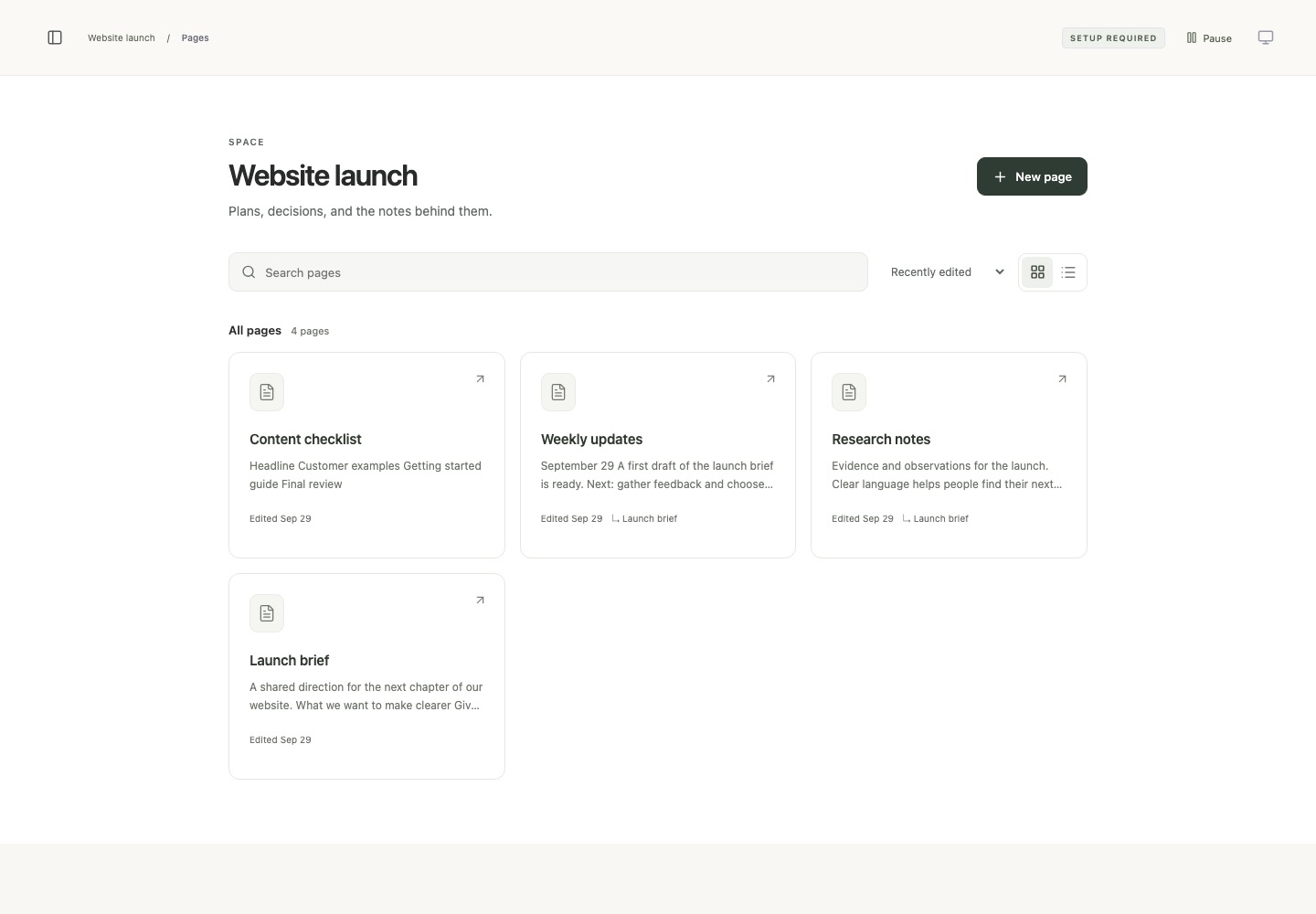
Spaces has a page library and an editor, and you can create and nest pages and edit them in Markdown. Content saves automatically. You can keep research and organizing going by, for example, telling a Dot to read a web page, summarize it, and save it to a file, then checking the result in the terminal.
Connect agents with AG-UI and run it yourself
The interface and the agent connect over the AG-UI protocol. You can swap in any model from a server that offers an OpenAI-compatible API by specifying its address, key, and model name. Any agent that supports AG-UI, whatever its harness, can plug into this interface. Set an OpenAI Realtime API key for voice and a CopilotKit Intelligence key for conversation history.
Running locally requires Node.js 24. Download the repository, run the commands below, and open http://127.0.0.1:5173.
git clone https://github.com/CopilotKit/OpenDots.git
cd OpenDots
npm ci
cp .env.example .env
npm run dev
In .env, set INTELLIGENCE_API_KEY for your Intelligence project, OPENAI_BASE_URL, OPENAI_API_KEY, and OPENAI_MODEL for the model, and VOICE_API_KEY for voice. To run the app with Docker, use docker compose up --build -d and then go to http://localhost:4310. To turn on Dot computers too, prepare Docker Engine and Compose v2 and build the OpenBot computer image separately by following the computer setup guide.
Dots, Muse, GrokBot, and ClaudeTag: similar foundations, different UX
Atai Barkai explains, "Dots, Muse, GrokBot and ClaudeTag are essentially UX variations on top of similar core functionality." In other words, they put different UX on top of similar core functionality.
Source: X @ataiiam
| Open-source template | Matching product | Repo created (KST) | Stars |
|---|---|---|---|
| OpenTag | ClaudeTag | June 26, 2026 | 1,207 |
| OpenBot | GrokBot | August 17, 2026 | 5,849 |
| OpenMuse | Muse | September 16, 2026 | 3,644 |
| OpenDots | OpenAI Dots | September 30, 2026 | 826 |
You can look at GrokBot and Muse as part of the same trend. The moment an AI product's features are announced, they are being cloned and remixed as open source, and that is happening faster and faster.