As internal APIs and tools multiply, finding the features an AI agent can use, checking permissions, and handling responses all get more complicated. Uber handles this problem not by connecting a few MCP servers but with an MCP Gateway that manages more than 800 servers and more than 5,000 tools in one place.
Based on Uber Engineering's original MCP Gateway design post, let's look at how it separates registration from execution and controls tool exposure.
An MCP Gateway that separates registration from execution
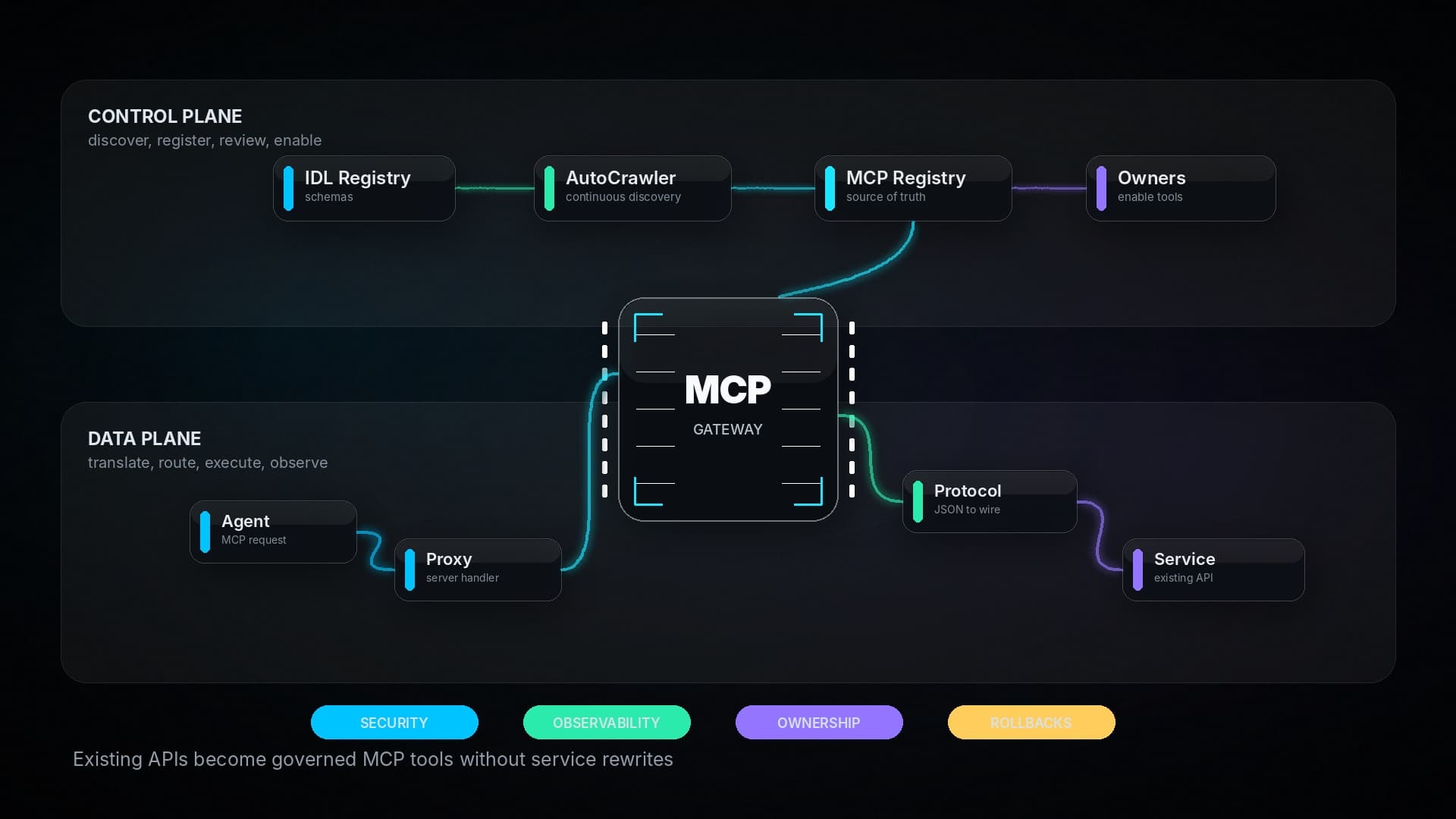
Uber's structure has two parts. The MCP Registry is the control plane; it discovers servers and tools and manages their ownership and activation status. The Proxy Gateway is the data plane; it receives agents' MCP requests and passes them to the actual backend services. The design separates managing registration information from executing requests.
This split matters more as scale grows. The management path that looks up tool lists and changes approval status and the execution path where real service calls flow can be run with different responsibilities.
AutoCrawler discovers tools but doesn't publish them right away
The Registry's AutoCrawler is a Cadence-based distributed workflow that periodically checks existing service signals and the IDL Registry. It builds server and tool schemas from Protobuf and Thrift definitions and converts them into an MCP-compatible JSON-RPC 2.0 format. Native MCP servers are discovered through heartbeats, and it calls listTools to get their tool information.
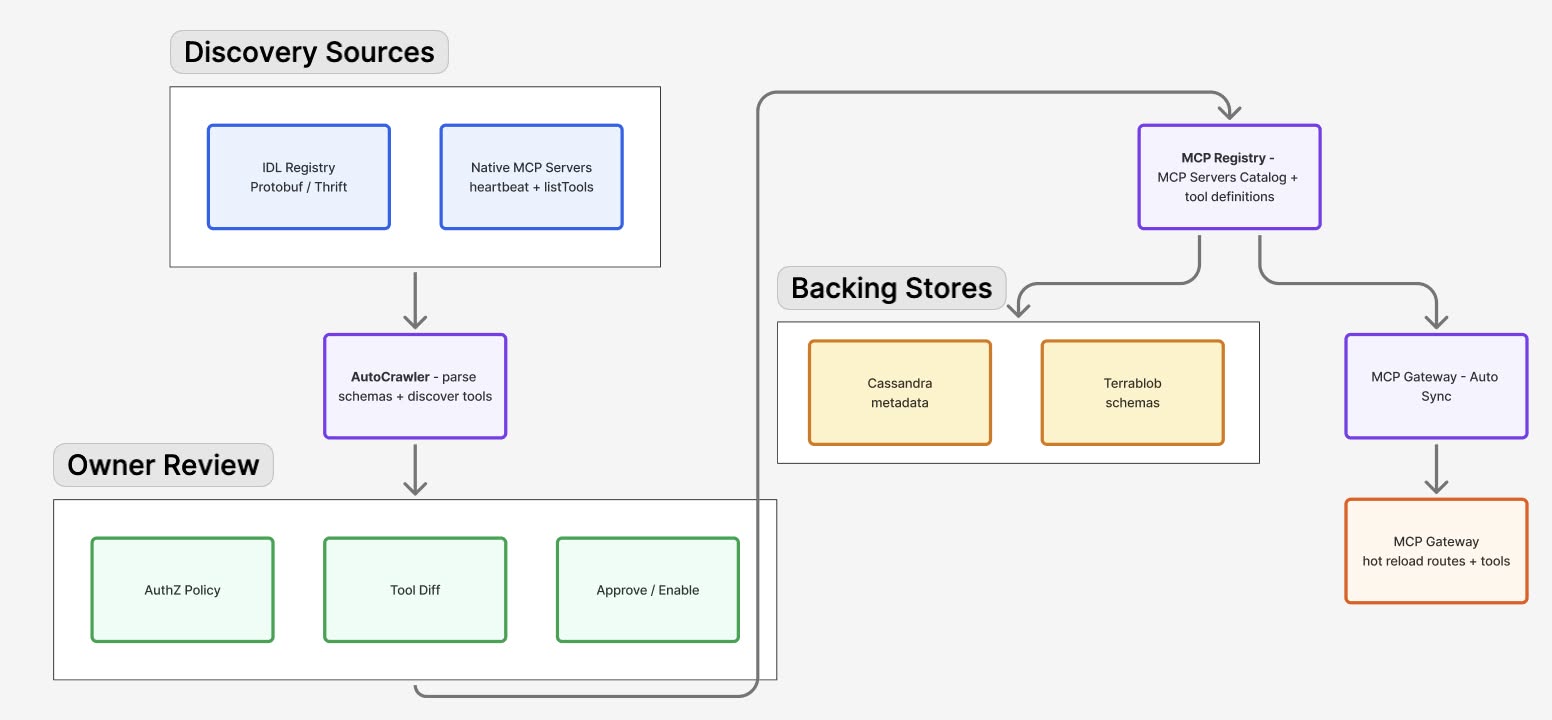
Automatic discovery is not the same as automatic publishing. Newly registered servers and tools are disabled by default, and they are enabled only after the owner team reviews and approves them. Changes also go through diff review, deployment, and rollback procedures. The Registry has a control step that keeps a tool from being exposed to agents just because it was found.
Connecting existing service APIs to agent calls
The Proxy Gateway translates MCP requests into the protocols existing services use, such as HTTP, gRPC, and TChannel, and returns responses in MCP format. For the existing call path it uses the Muttley service mesh sidecar. Service teams don't have to reimplement every API as a new MCP server, because the gateway bridges the protocols.
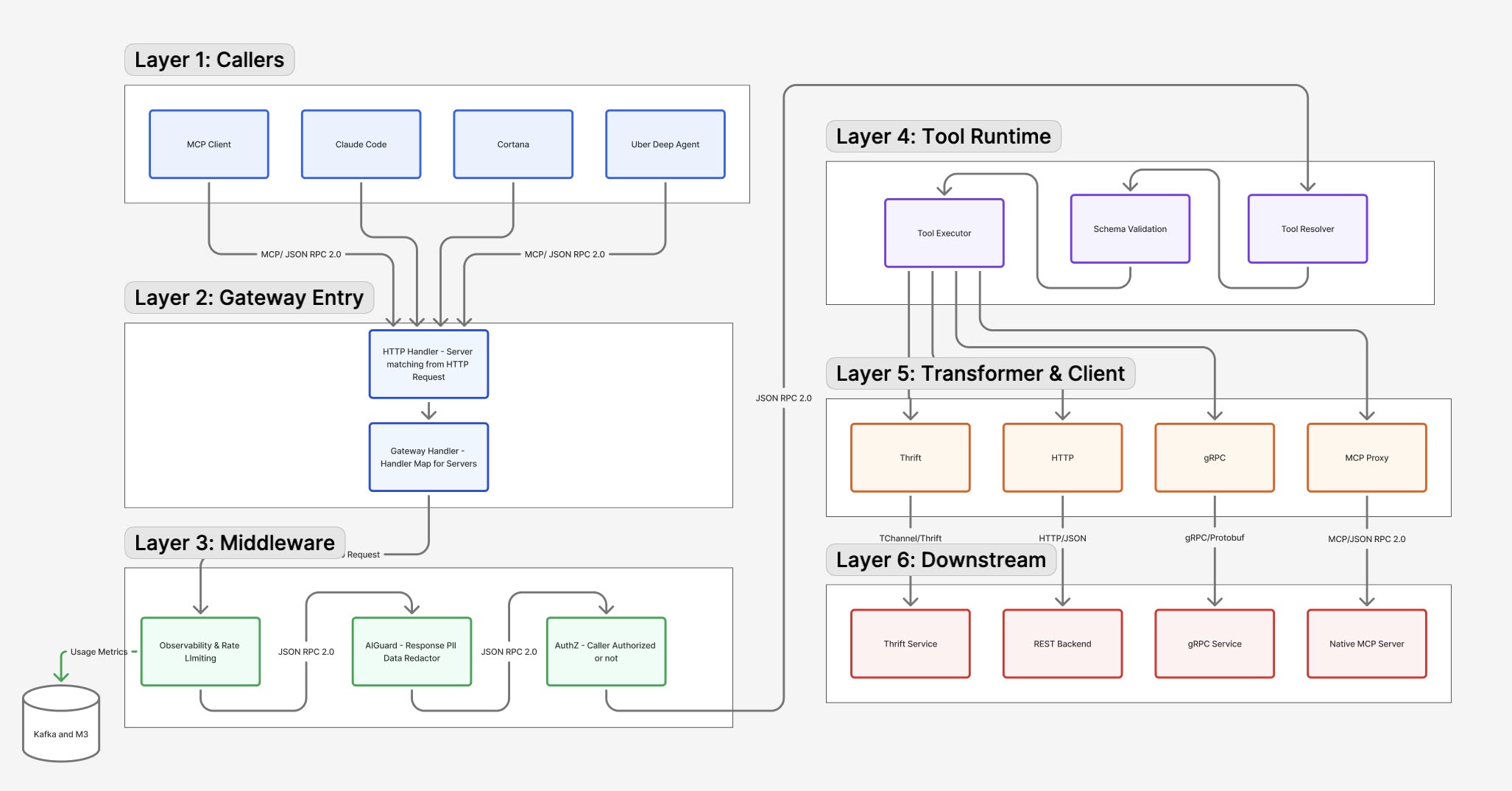
It identifies who is making the call, applies server-level permission policies, and sets per-tool policies when needed. Rate limiting and redaction of PII and sensitive information in responses are also part of the gateway's responsibilities. It manages not only tool connections but also who can call them and what data comes back.
Omni MCP starts by finding the tool information you need
With thousands of tools, it is hard to put every description and schema into the context of each request. Omni MCP splits search and invocation into four steps.
discover_server: Finds the server to use.discover_tools: Finds relevant tools on that server.get_tool_schema: Gets the detailed input schema of the chosen tool.invoke_tool: Runs the tool you need.
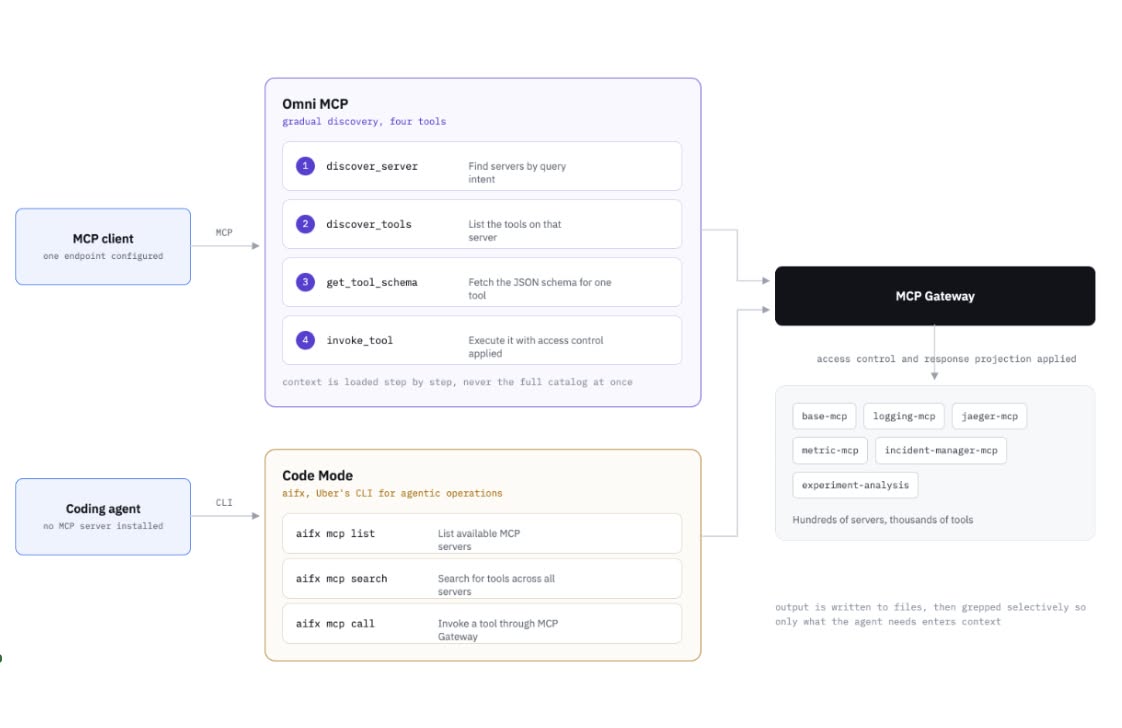
The agent fetches only the information it needs at each step, so it doesn't have to read and hold the entire tool catalog from the start. It narrows the search scope step by step across a large set of tools.
Responses keep only the fields you need
If a tool's output is large, more data than the agent actually uses can end up in the context. Response Projection is a feature that keeps only the fields you need from a response by specifying an array of nested paths in the request schema. Uber describes it as a GraphQL-like way of calling.
It trims tool information at the search stage and narrows the result fields after execution. You can cut unneeded context on both the tool catalog and the response side.
Searching and calling with aifx Code Mode
Uber's coding agents use the MCP Gateway through the aifx CLI. The commands the original post introduces are aifx mcp list, aifx mcp search, and aifx mcp call. Instead of installing an MCP server separately for each agent or loading countless tool definitions into context up front, the agent finds and calls the tool it needs through the gateway. Results can be saved to a file so you can read the parts you need.
Code Mode here is not simply a feature that renames tools. It is a way of using the system that provides discovery and execution of internal tools through a single path, so an agent doesn't have to hold the entire tool spec at all times.
Design takeaways for running MCP at scale
The point of Uber's example isn't just growing the number of MCP connections. It separates the Registry and the Proxy to put a boundary between management and execution, requires owner-team approval after automatic discovery, and applies permissions and sensitive-data handling at execution time. Omni MCP and Response Projection let it handle tool descriptions and responses only as much as needed.
So a team considering MCP needs to design not just the list of servers to connect but also approval after discovery, policies per caller, protocol translation with existing services, and the scope of response data. Uber gathered these elements into a shared operating path called the MCP Gateway.
If MCP is new to you, start with the MCP glossary page. You can compare how an individual coding agent calls MCP tools with Pi's MCP and Codemode example, and the hosting angle continues in the post on MCP server hosting with ChatGPT Sites.