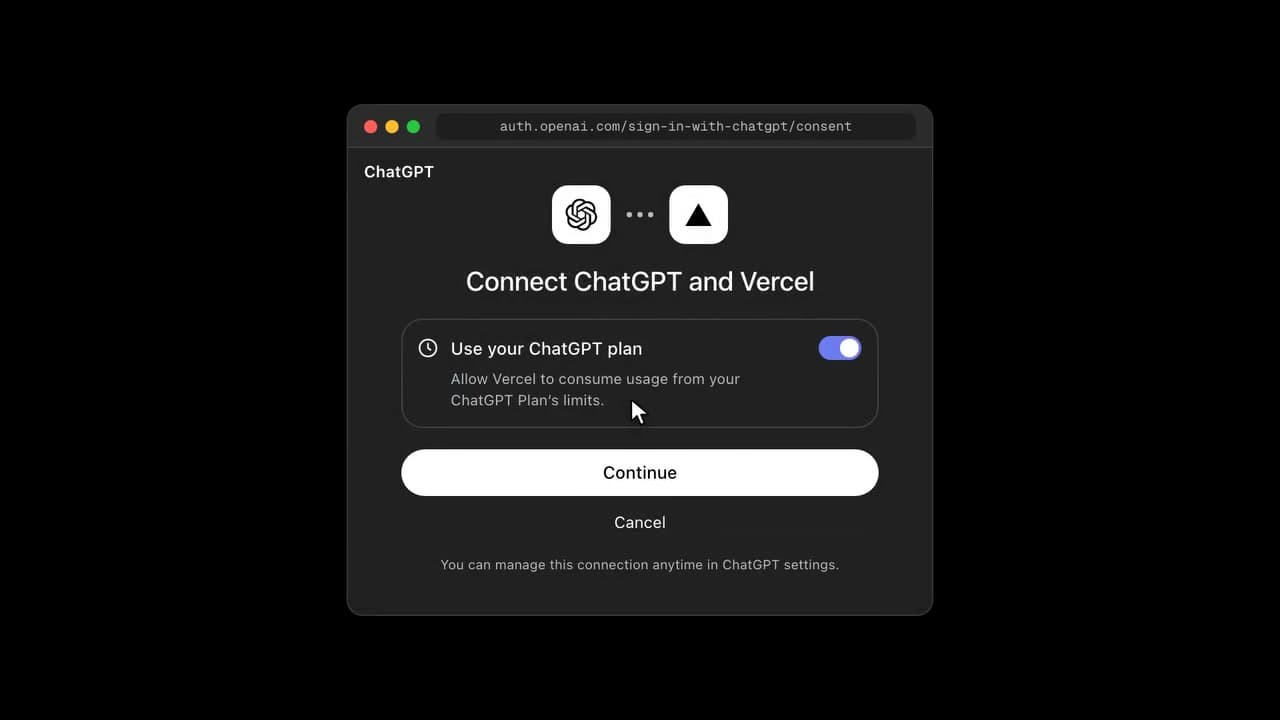
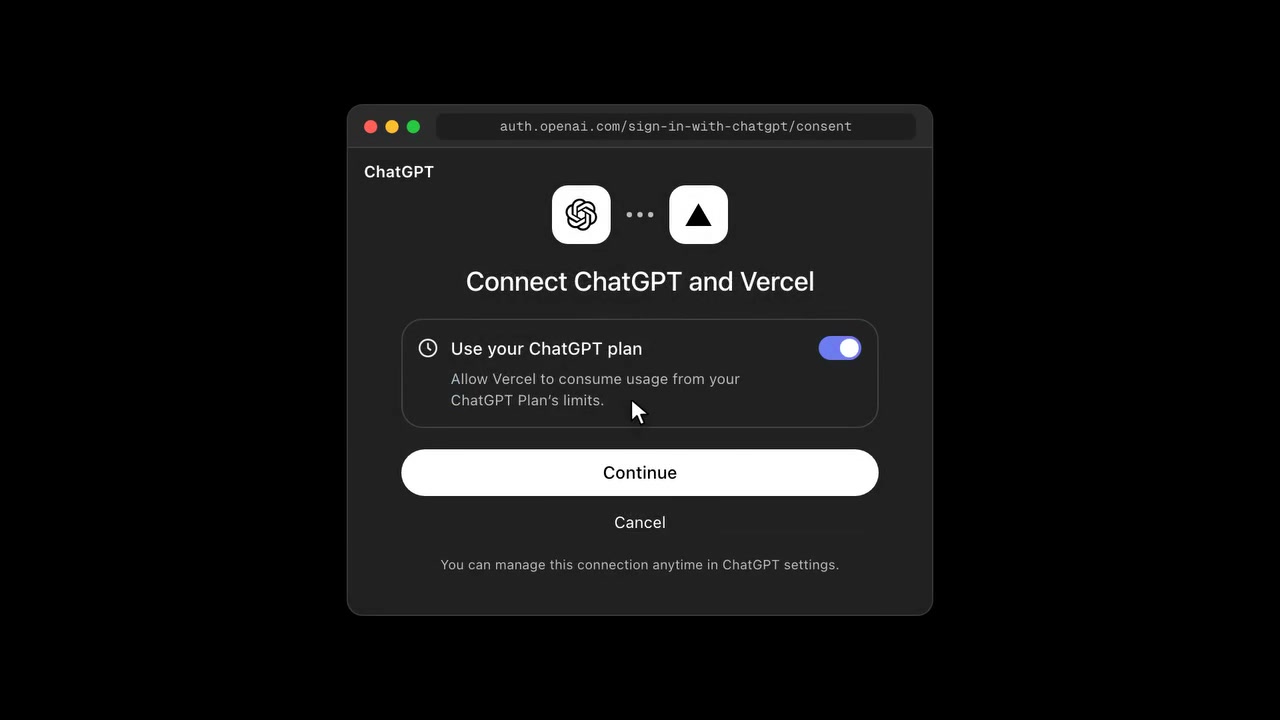
Vercel's v0 now lets you connect a ChatGPT Plus or Pro account and build apps using the usage included in your subscription. At 3:11 AM (KST) on September 30, 2026, v0 announced you can connect your ChatGPT account and build with ChatGPT usage. Kevin Weil, who was OpenAI's CPO at the time and has since left the company, mentioned "Sign in with OpenAI" in 2025 and talked about extending the OpenAI account to other apps and services, and this v0 case shows that direction becoming reality.
You can now use a ChatGPT subscription in v0
@v0 said, "You can now use your ChatGPT subscription in v0," and told users to connect their account and build with ChatGPT tokens. It applies to ChatGPT Plus and Pro. Responses from supported OpenAI models are deducted from ChatGPT plan usage, and v0 credits are not used for those responses.
Source: X @v0
How to connect a ChatGPT plan to v0
The connection starts from v0's credits menu. After signing in to v0, open the credit balance menu in the header and choose Use ChatGPT plan. Then click Continue with ChatGPT, sign in with your ChatGPT account, and approve Vercel consuming usage from your ChatGPT plan limit. Once connected, turn on ChatGPT plan usage in v0 and pick the supported OpenAI model you want from the model menu. The header shows ChatGPT, and the model menu shows Using ChatGPT plan.
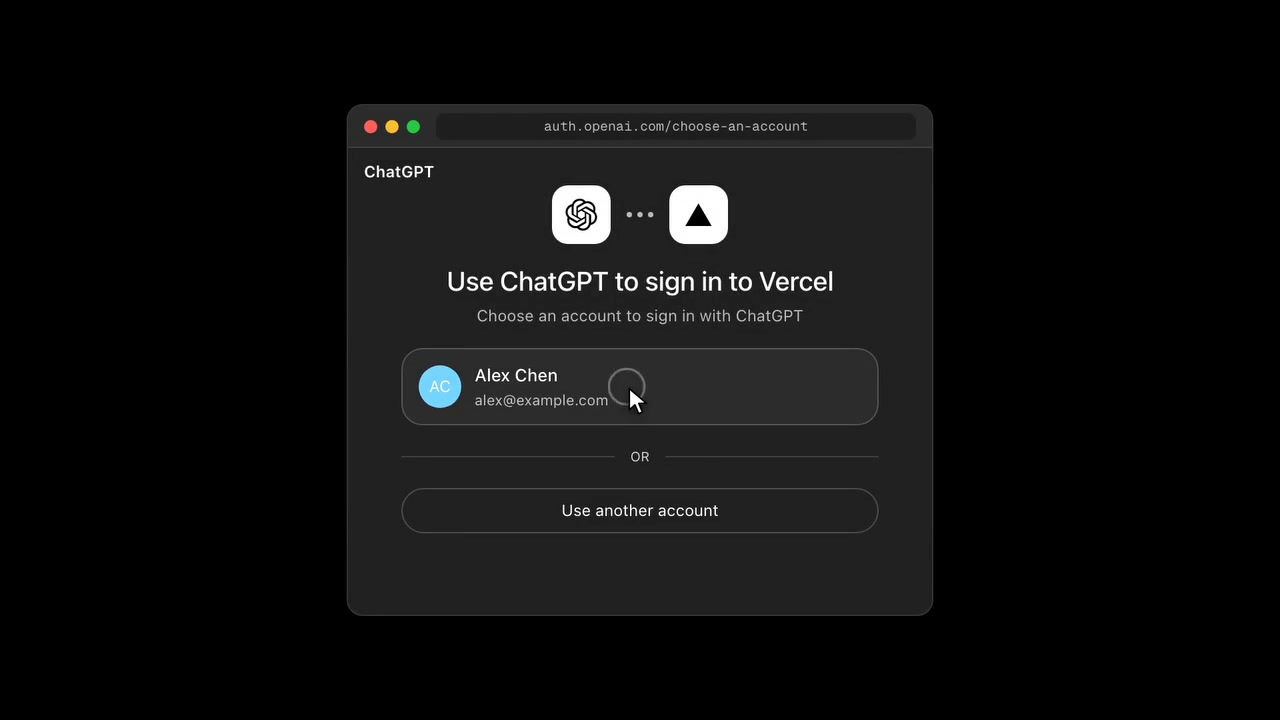
Signing in and sharing plan usage are permissions you approve separately. Plan usage shares your existing ChatGPT limits and does not add a new limit. You can check per-app usage and weekly limits in ChatGPT settings. You manage the connection in v0 Billing settings and the credits menu, and to disconnect fully, select Vercel under Security and login → Sign in with ChatGPT in ChatGPT settings and click Disconnect.
Which models you can use and how credits are deducted
The models supported on a ChatGPT plan, per the official v0 guide, are GPT-6 Astra, GPT-5.6 Sol, GPT-5.6 Luna, GPT-5.5, and GPT-5.5 Pro. The announcement video shows GPT-6 Astra on v0 Max and GPT-5.6 Sol on v0 Pro.
| Task | Usage deducted from |
|---|---|
| AI responses from supported OpenAI models | ChatGPT plan usage |
| Image generation, editing, and regeneration | v0 credits |
| Delegated subagents and extra helper agent work | v0 credits |
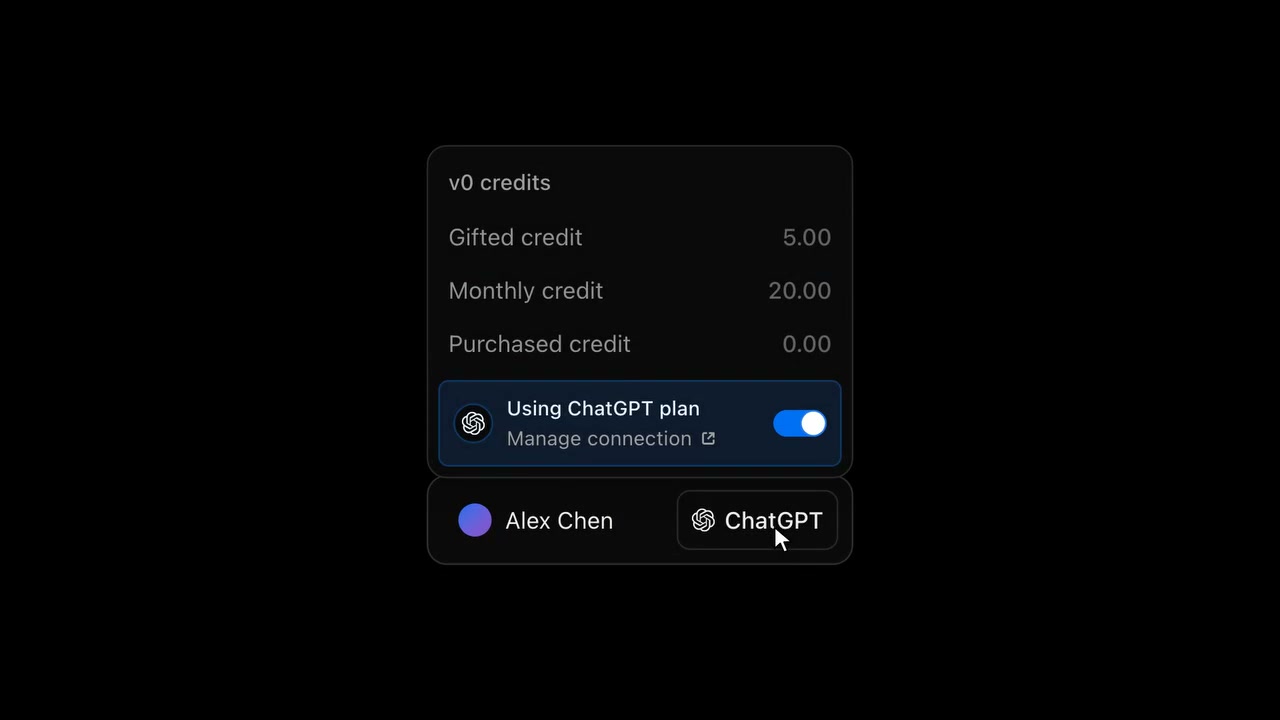
When you hit your ChatGPT limit, v0 stops generating and saves your progress. It does not switch to v0 credits automatically. To continue, you have to choose Continue with v0 credits yourself. Connecting ChatGPT does not change the price of v0 plans.
Sign in with OpenAI, as Kevin Weil described it, becomes reality
Kevin Weil, then OpenAI's chief product officer (CPO), wrote on LinkedIn on February 13, 2025 (KST), "We built 'Sign in with OpenAI' as part of the Apple Intelligence integration. We're looking at expanding it so it works in other apps and services too." He was publicly mentioning the idea of signing in to other services with an OpenAI account and connecting account features.
On May 27 of the same year, OpenAI said it was exploring letting people sign in to third-party apps with their ChatGPT account and took developer interest sign-ups. In the Codex CLI, it first offered a way to sign in to your ChatGPT account with codex login and use Codex with your plan usage. Weil started leading OpenAI for Science in September 2025 and left OpenAI in April 2026.
At OpenAI DevDay, held in the early hours of September 30, 2026 Korea time, the company officially announced Sign in with ChatGPT. You can use Plus and Pro usage in 16 partner apps, and you can control usage per app. Partner examples published include Cognition's Devin, Notion, Vercel, T3, OpenClaw, and Dactyl. Developers can use the Quickstart and client ID application process in the Sign in with ChatGPT developer docs, and Vercel is on the official partner list as well.
Source: X @chrisdeweese_
The same day, Nous Research also released a feature to sign in with a ChatGPT account and use your plan in Hermes Agent.
Source: X @NousResearch
In the end, it also seems to say that OpenAI will provide the intelligence, so focus on creating value on top of it. OpenAI has been preparing integrations with many services since 2025. It is not that it could not do it before; OpenAI has been waiting for the ecosystem to widen.
Related posts
- OpenAI dots: The ChatGPT Agent That Keeps Working on Its Own Computer Even After You Close the Chat
- Enterprise adoption cases of the OpenAI Codex open-source harness
- OpenAI Decisions API: Two Weeks After Jev, GPT-6 Luna Picks an Option in 0.15 Seconds
Sources
- v0 ChatGPT guide · v0 pricing docs
- X @v0 announcement · X @chrisdeweese_ · X @NousResearch
- OpenAI DevDay 2026 Recap · OpenAI Help: Sign in with ChatGPT · OpenAI Help: Using your ChatGPT plan in other apps
- Sign in with ChatGPT developer docs · Official partner list
- Kevin Weil's LinkedIn post · Archived 2025 developer interest form · Codex auth docs